

- Overview
- Transcript
3.5 FAQ Page
Welcome to lesson number 12 of this course, where we’ll create the FAQ (Frequently Asked Questions) page.
1.Introduction
1.1Welcome to the Course00:57
1.2Getting the UI Kit05:08
2.Designing the Primary Website Pages
2.1Planning the Homepage15:13
2.2Hero, Features, Testimonials, and Client List15:22
2.3Complete the Homepage16:06
2.4Features Page12:05
2.5Pricing Page05:55
2.6Customers Page07:04
3.Designing the Secondary Website Pages
3.1Documentation Page07:01
3.2Articles Page09:07
3.3Blog Page06:22
3.4Support Page10:21
3.5FAQ Page03:43
3.6Contact Page03:47
3.7“About Us” Page10:54
3.5 FAQ Page
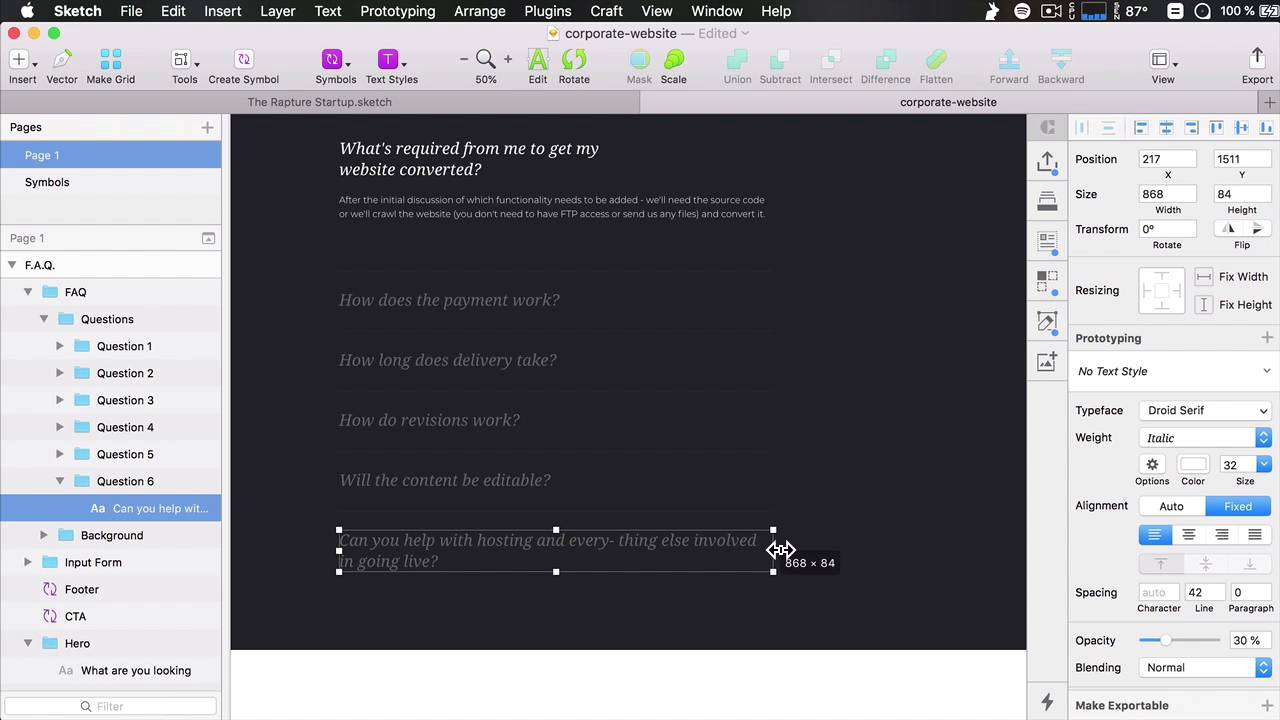
Hello, and welcome to lesson number 12 of this course, where we'll be building the FAQ page, or frequently asked questions. So taking a look at the structure, we can see that it's very similar to, for example, articles or documentation. So let's start there. Actually, we can just duplicate the support, because we also have this form placeholder. So I'm gonna call this F.A.Q. The top part is pretty much the same. It says, What are you looking for? And then, Search the help center. The difference is that the content is actually a questions accordion. So instead of these two, questions accordion from page number 17. So let's see what we have here. It's probably referring to this because I don't see any other content that would match. So lets copy this, paste that in. Bring it down to leave a 90 pixel gap from the hero. Actually, we're gonna change this a little bit. We're gonna delete these. And we'll bring these in. Let's align it to the grid. And we'll simply make them bigger, to about ten columns, or a width of 800 and 68 pixels. So we're gonna do the same for these, 868. And also the text inside here. Now, because this is the main content and because the next section has this dark background, we're gonna change this up a little bit. We're gonna make it white, but before that, let's select this white text, and we're gonna switch colors. We're gonna do the same with this one. And we're gonna do the same with these, except we'll use a 30% opacity. So now, I'm just gonna change the fill here to white. And actually, I think these could be a little bit darker, so I'm gonna change to 75% opacity, or, actually, let's bring in that down to 50. And I'm also gonna select these dividers. And I'm gonna change their fill type to block and change their opacity to about 15%, okay? And here on the top, we'll just bring in this divider to separate the top part from the actual content. So we'll just paste that in, and we are done. Of course, now we'll just bring these in. And as usual, resize the art board to eliminate that gap on the bottom. All right, so that is the FAQ page. Now, we only have two pages that we need to create, Contact Us and About Us. We'll start with Contact, that's coming up in the next lesson.





