

- Overview
- Transcript
10.1 Animation Sidebar Sections
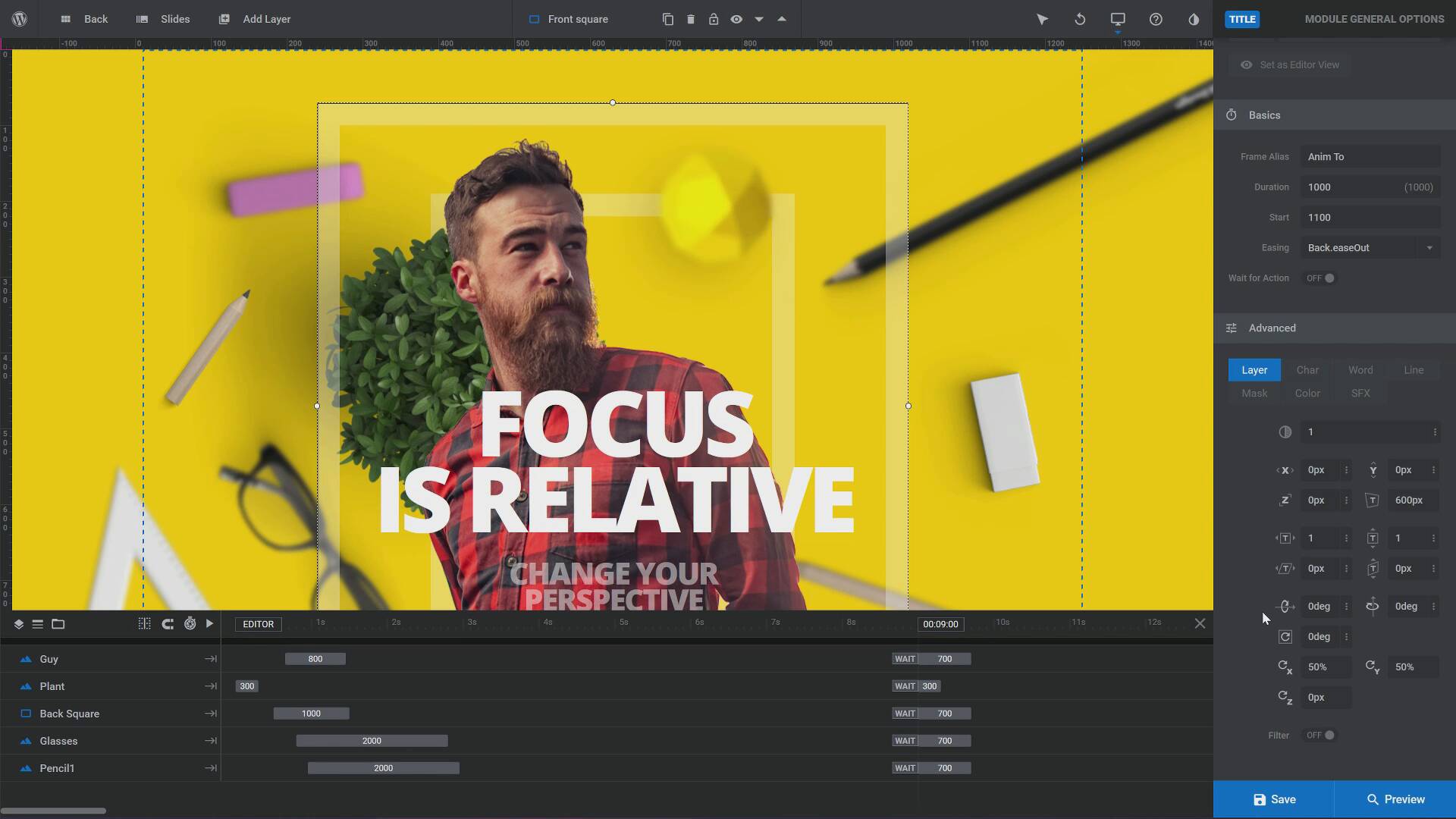
When you decide to start modifying animations, the first things you’ll need to know about are the slide and layer animation sections in the sidebar. In this video, we’ll cover how to access this section and have a quick overview of the settings it contains.
1.Introduction to the Beginner's Guide
1.1Welcome to the Course!01:06
1.1
Welcome to the Course!
01:06
1.2Much More Than Just Sliders09:51
1.2
Much More Than Just Sliders
09:51
2.What Are Modules and Templates?
2.1What Are Modules?05:46
2.1
What Are Modules?
05:46
2.2What Are Templates?05:44
2.2
What Are Templates?
05:44
3.The Module Editor / Visual Editor
3.1What Is the Module Editor / Visual Editor?03:20
3.1
What Is the Module Editor / Visual Editor?
03:20
3.2Timeline03:28
3.2
Timeline
03:28
3.3Settings Panels Quick Overview02:03
3.3
Settings Panels Quick Overview
02:03
3.4Built-in and External Help02:38
3.4
Built-in and External Help
02:38
3.5Objects and Icons03:30
3.5
Objects and Icons
03:30
3.6Saving and Previewing03:08
3.6
Saving and Previewing
03:08
4.What Makes Up a Module?
4.1Slides03:58
4.1
Slides
03:58
4.2Layers03:21
4.2
Layers
03:21
4.3Backgrounds01:57
4.3
Backgrounds
01:57
4.4Global Layers03:30
4.4
Global Layers
03:30
5.Basic Editing
5.1Selecting Individual Items03:03
5.1
Selecting Individual Items
03:03
5.2Editing Text03:28
5.2
Editing Text
03:28
5.3Editing Images01:55
5.3
Editing Images
01:55
5.4Resizing03:43
5.4
Resizing
03:43
5.5Selecting Multiple Items01:25
5.5
Selecting Multiple Items
01:25
5.6Moving and Aligning04:15
5.6
Moving and Aligning
04:15
5.7Links02:35
5.7
Links
02:35
5.8Changing Backgrounds04:48
5.8
Changing Backgrounds
04:48
6.Publishing Modules
6.1Adding Your Module(s) to a Page04:14
6.1
Adding Your Module(s) to a Page
04:14
6.2Creating Blank Pages03:37
6.2
Creating Blank Pages
03:37
7.End of the Beginner's Guide
7.1Wrapping Up the Beginner's Guide01:53
7.1
Wrapping Up the Beginner's Guide
01:53
8.Introduction to the Intermediate Guide
8.1Welcome to the Intermediate Guide00:38
8.1
Welcome to the Intermediate Guide
00:38
9.Editing Module Templates
9.1Video Background Cross-Site Origin03:51
9.1
Video Background Cross-Site Origin
03:51
9.2Changing Stacking Order / Z-index05:14
9.2
Changing Stacking Order / Z-index
05:14
9.3Changing Spinners / Preloaders02:06
9.3
Changing Spinners / Preloaders
02:06
10.Modifying Animations
10.1Animation Sidebar Sections03:12
10.1
Animation Sidebar Sections
03:12
10.2In & Out, From & To, WAIT10:35
10.2
In & Out, From & To, WAIT
10:35
10.3Additional Keyframe Animations04:26
10.3
Additional Keyframe Animations
04:26
10.4Animation Presets Including No Animation04:19
10.4
Animation Presets Including No Animation
04:19
11.Adding Premade Content
11.1Importing Premade Slides03:04
11.1
Importing Premade Slides
03:04
11.2Importing Premade Layers02:28
11.2
Importing Premade Layers
02:28
11.3Adding Premade Text, Buttons, and Shadows03:21
11.3
Adding Premade Text, Buttons, and Shadows
03:21
11.4Adding Add-on Generated Effects07:10
11.4
Adding Add-on Generated Effects
07:10
12.Checking Responsive Resizing
12.1Previewing and Adjusting Layouts05:13
12.1
Previewing and Adjusting Layouts
05:13
13.End of the Intermediate Guide
13.1Wrapping Up the Intermediate Guide02:29
13.1
Wrapping Up the Intermediate Guide
02:29





