
 Lessons: 13Length: 2.1 hours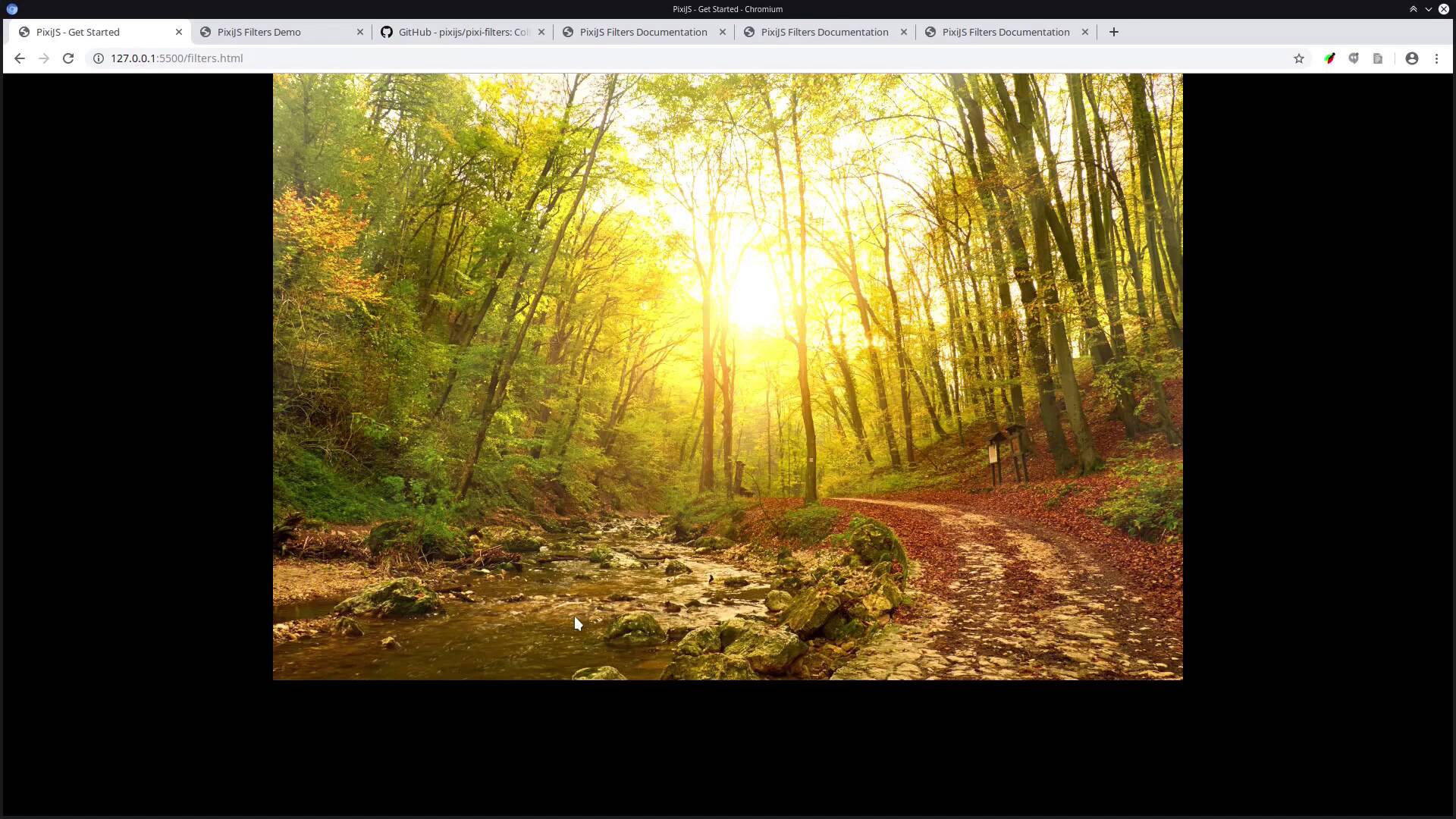

- Overview
- Transcript
2.2 Animated God Ray Image
Now that we have our application running, we’re ready to start creating some visual effects. In this lesson, we’ll bring in a stock image of the sun peeking through the trees of a forest, after which we’ll enhance it with an animated “god ray”, or sun shaft filter effect.
Related Links
1.Introduction
1.1Welcome to the Course00:37
1.1
Welcome to the Course
00:37
1.2The “Why” and “How” of PixiJS07:16
1.2
The “Why” and “How” of PixiJS
07:16
2.Up and Running With PixiJS
2.1A Basic PixiJS Application13:32
2.1
A Basic PixiJS Application
13:32
2.2Animated God Ray Image10:36
2.2
Animated God Ray Image
10:36
2.3Colored Spotlight Mask14:03
2.3
Colored Spotlight Mask
14:03
2.4Custom Cursor06:15
2.4
Custom Cursor
06:15
2.5Text Style11:33
2.5
Text Style
11:33
2.6Containers and Displacement11:26
2.6
Containers and Displacement
11:26
2.7Using Video07:20
2.7
Using Video
07:20
2.8Parallax Movement20:44
2.8
Parallax Movement
20:44
2.9Gradients and Canvas2D API11:16
2.9
Gradients and Canvas2D API
11:16
2.10Blend Modes and Flicker Effect10:43
2.10
Blend Modes and Flicker Effect
10:43
3.Conclusion
3.1Wrapping Up03:18
3.1
Wrapping Up
03:18





