


- Overview
- Transcript
3.1 Using Nifty Modal Dialog Box
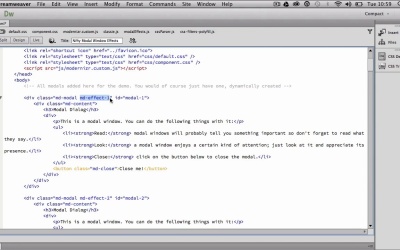
To really understand how CSS 3D can enhance the users experience I want to show you how to display a simple yet beautiful modal dialog box that can be effective in capturing the users attention.
1.Introduction
1.1Why use CSS 3D?03:39
1.1
Why use CSS 3D?
03:39
1.2Browser and Fallback Support04:11
1.2
Browser and Fallback Support
04:11
2.Getting Started with CSS 3D
2.1Understanding the 3D Environment08:30
2.1
Understanding the 3D Environment
08:30
2.2Using CSS 3D Transformations16:53
2.2
Using CSS 3D Transformations
16:53
2.3Using CSS 3D Origin and Perspective26:43
2.3
Using CSS 3D Origin and Perspective
26:43
2.4Creating a 3D Cube: Part 125:23
2.4
Creating a 3D Cube: Part 1
25:23
2.5Creating a 3D Cube: Part 216:10
2.5
Creating a 3D Cube: Part 2
16:10
2.6Using CSS Animations and Transitions20:03
2.6
Using CSS Animations and Transitions
20:03
3.Advanced CSS 3D
3.1Using Nifty Modal Dialog Box13:14
3.1
Using Nifty Modal Dialog Box
13:14
3.2Using Impress.js22:40
3.2
Using Impress.js
22:40
3.3Using Oridomi.js28:39
3.3
Using Oridomi.js
28:39
4.Final Project
4.1Adding Content to the Cube: Part 128:23
4.1
Adding Content to the Cube: Part 1
28:23
4.2Adding Content to the Cube: Part 232:11
4.2
Adding Content to the Cube: Part 2
32:11
4.3Providing Fallback Support23:51
4.3
Providing Fallback Support
23:51
5.Conclusion
5.1Conclusion and Goodbye01:57
5.1
Conclusion and Goodbye
01:57





