
 Lessons: 7Length: 27 minutes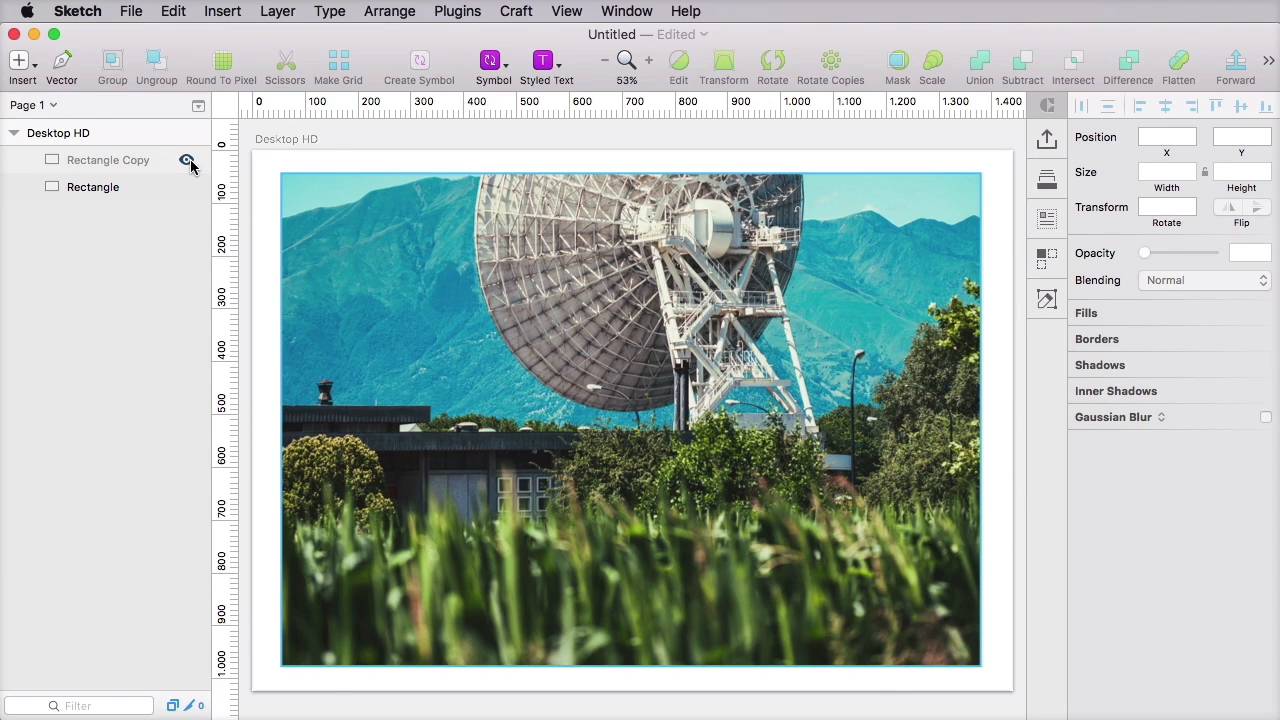
- Overview
- Transcript
2.4 Duotone
A duotone is a halftone reproduction of an image that makes the middle tones and highlights more prominent. Let’s find out how this can be used to make a website more interesting.
Related links
- adisonpartners.com
- ortizleon.es
- spotify.com
- colofilter.css
- jquery-duotone
- CSS filters on caniuse.com
- Canvas on caniuse.com
1.Introduction
1.1Introduction00:35
2.The Creative Patterns
2.1Big Typography05:49
2.2Geometric Shapes04:27
2.3Bold Colors03:34
2.4Duotone03:37
2.5Microinteractions04:16
2.6Virtual Reality04:19
2.4 Duotone
A duotone is a half tone representation of an image that makes the middle tone and highlights more prominent. The results can look like this or this or this. It's a very interesting effect. And this technique can be used, for example, to create a hero image like we saw on the Adison Partner's website. It can be used to darken an image and increase texture readability by giving it a lot of contrast. And it can also be used as an accent color. It's also a very cool technique for establishing the color theme of a website, because you can use the brand colors to create the duotone. I think you shouldn't abuse this technique very much because if you are going to use it all over the the place, there is nothing special any more, right? Use it in one or two places to attract attention or create a very interesting effect. Now, how do you use or how do you create duotone images? One of the first methods is to use an image editor, and pretty much all of them work the same way. I'm using Sketch here but you could use Photoshop, for example, and you would achieve the same effect. So I have an image, and above it, I have a rectangle that's the same size. Now this rectangle, I'm going to set, let's say to this color. And then this is the key part, you would change the blending mode from normal mode to overlay. So here is the original image and here is a duotone. Of course, by using different colors, you can achieve different effects So you would apply the effect, export this image, and then use it on your website. Alternatively, if you wanted to apply this effect from code, you can use something like this. The first option is called call colofilter.css and these are using the CSS blend modes. You can see some examples here. All I have to do is download a CSS file, and add a class to the image that you want the effect to be applied to. Another option is to use a plug in called JQUERY- DUOTONE. Very simple to use. You just add it to your page, and then you'll target the images that you want to set as duotone and you would call this method. Pretty simple, now the CSS approach will not work in browsers that don't support blend modes and filters. So currently you're stuck with Firefox, Chrome and Opera. The jQuery plug in is actually more forgiving because it uses the canvas. And the canvas is currently supported by all major browsers except for older IE. So you get a much wider support with this option, but it relies on jQuery, so it's up to you to decide which is more important, less weight or better support. And that's about it for duotone. In the next lesson we're gonna explore something called micro interactions. That's coming up next.





