
 Lessons: 7Length: 27 minutes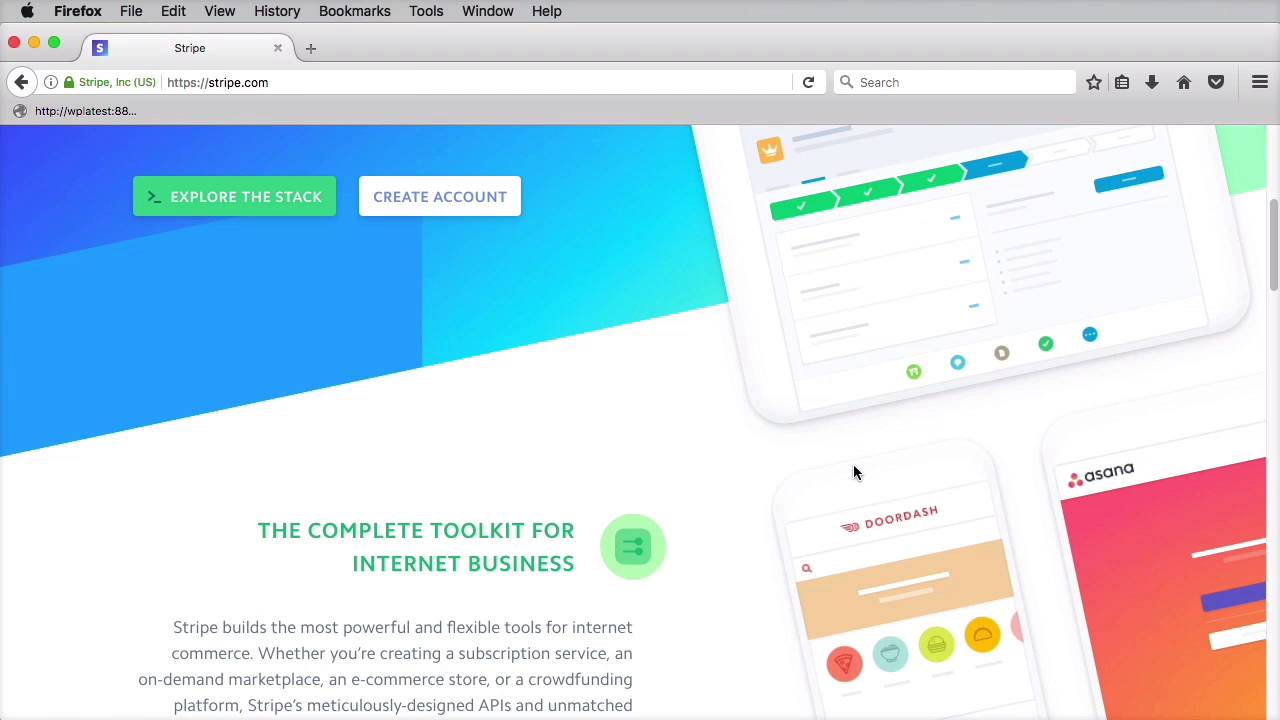

- Overview
- Transcript
2.2 Geometric Shapes
Let’s talk about geometric shapes. We’ve all used squares, rectangles, triangles and even circles to create or present content. But what about more exotic shapes? Let’s find out.
Related links
- sequence.co.uk
- webey.eu
- builtbybuffalo.com
- gorohov.name
- rallyinteractive.com
- irontoiron.com
- stripe.com
- ShapesOfCSS on CSS Tricks
- Transform on enjoycss.com
1.Introduction
1.1Introduction00:35
2.The Creative Patterns
2.1Big Typography05:49
2.2Geometric Shapes04:27
2.3Bold Colors03:34
2.4Duotone03:37
2.5Microinteractions04:16
2.6Virtual Reality04:19
2.2 Geometric Shapes
Let's talk about geometric shapes. We've all used rectangles, triangles, even circles to create or present content. A rectangle, for example, can be used to frame a piece of content, or it can be used as a button. A circle can be used to display an image. But what about the more, let's call them exotic geometric shapes, like hexagons and rhombuses? You don't see those being used very often. Why? Why not? Sure, they're a bit harder to use, but if used correctly, they can add a lot of character to a web page. Take Sequence, for example, they have a very cool hexagon slider that has this ripple effect on hover. They're are also playing with the building triangles creating some interesting animations. Webey.eu also uses geometric shapes throughout their website. Starting with the hexagonal block in their home page and continuing with various flourishes. Like for example, this heading background and this cutout from the portfolio footer. All of these have a very futuristic look. Not to mention the parallax background, which has a few 3D objects. Some people prefer to showcase their portfolio using more unusual shapes. Like, for example, Andrei Gorokhov, Built by Buffalo, or Let's Go Rally. The guys at Iron to Iron have a rhombus theme going on, with these shapes being used in clever ways throughout their website. Some websites use angled lines to create very interesting and unique layouts. Stripe, for example, uses angled lines for the bottom of this hero area and the top of this Developers First area. These are complimented by the hero background artwork, and also the angled almost isometric looking images. Those were just a few examples of what you can accomplish with geometric shapes. Now how do you go about creating them? Well the easiest method is to use SVGs. SVGs can be created in pretty much any vector image editor and then exported for the web. Browser support for the SVG is pretty good, all the modern browsers support it. And the one's that don't are the older versions of IE and Android browser, so not a huge problem. The other way of getting these shapes in your web page is to use CSS and this is where things get a bit tricky. CSS doesn't have specs for creating a hexagon, for example, yet. That doesn't mean it's not possible. With a clever use of the border property, you can create pretty much any geometric shape like Chris Coyier is showing us here. You'll see that for the more complex shapes Chris uses the before and after pseudo elements. A very useful tool is found at enjoycss.com. This has a list of pre-made shapes that you can customize and then get the CSS code for. Now I would personally use these shapes either to mimic a logo or to add a bit more personality to a website. Take the Stripe website you saw earlier, the one that was using the angled lines. Because you don't see that very often and because, by using those, the user experience wasn't compromised. That website is memorable in a good way. Just make sure you don't overdo it with all sorts of weird shapes on your website. That's not good, it often leads to confusion, and it doesn't create a very cohesive user experience. And that's about it for using geometric shapes. The next pattern we're going to explore is related to color. That's up next.


