

- Overview
- Transcript
2.4 Useful Examples of Multi-Column Layouts
Alright, so now that we know the basics of multicol and its proper syntax, let’s take a look at some examples of how you could use this all in practice.
In this lesson, I’m going to show you three different examples which will hopefully inspire your own projects.
Related Links
2.4 Useful Examples of Multi-Column Layouts
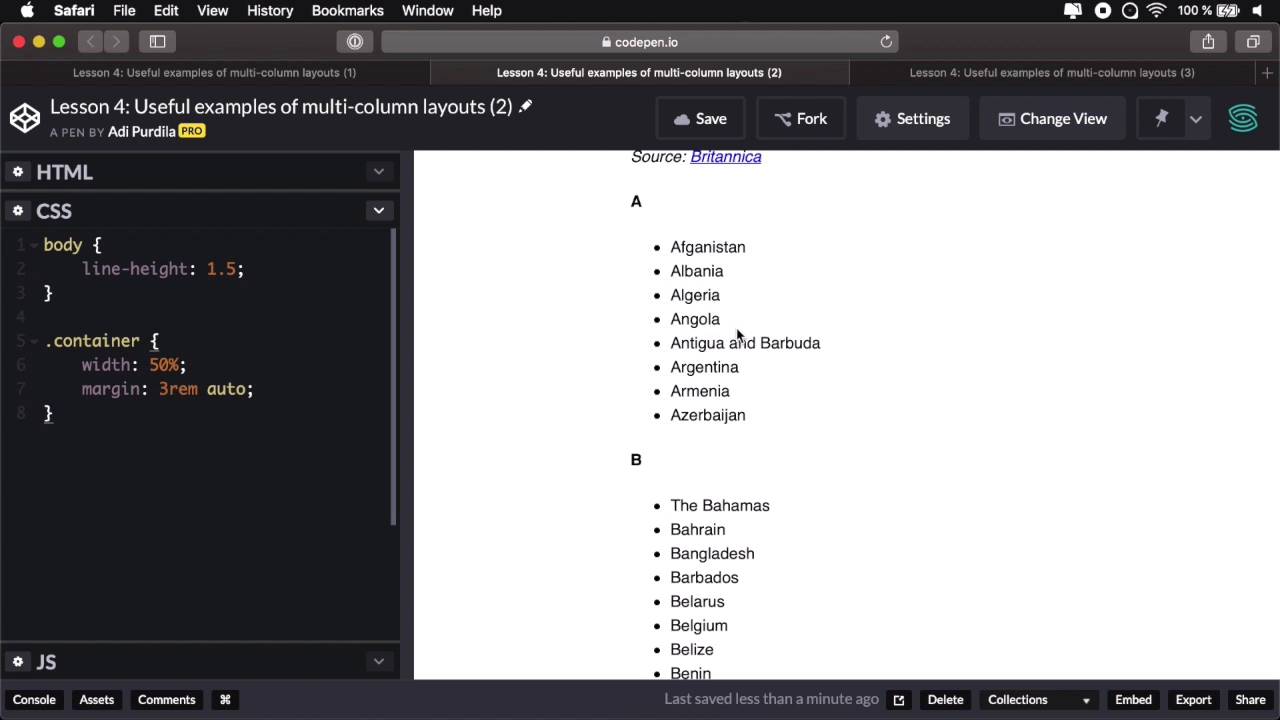
All right, so now that we know the basics of working with multi-column layout, let's take a look at some examples of a more practical use. And hopefully, these will inspire you to use multi-column in your own project. So I'm gonna show you three examples. The first one is a layout. Now, this is actually really tough to create with the traditional, or with the other layout methods. And that includes Flex Box and CSS Grid Layout. It's just really tough working properly with repeating elements with different heights. So here, I have a simple list with a class of masonry. And inside each list item, I have an image, an h3, and a paragraph. And this is the result basically. Right now we don't have any kind of multi-column styling applied. It's just a list that goes on in the block layout. So, let's go a head and add some columns. Let's say 20rems columns. Right, so that's gonna create two columns. Let's go with 15, because I want the columns to be a little bit smaller. And let's go to the image, and say max-width 100%. Okay, and let's also set a column and gap, something a little bit bigger, something like 2rems. That's a bit better. And now, we actually have a layout. Notice how the flow is kept really nicely and this works beautifully for, as I said, elements that are repeating but have different heights. Right away, we see a problem here. We have a content break, and we don't want that. So let's go ahead and target the list item and say break-inside: avoid;. And that will make sure that the list items are not broken, and they're displayed in full on each column, and that's it. That's really simple. That's how easy it is to create a layout with CCS multi-column layout. The second example shows a couple of lists. So right now, I have countries in alphabetical order. And I wanted to demonstrate this to show you another great use case for multi-column layout. So as you can see, these lists take up a lot of vertical space, but we have a lot of horizontal space that's unoccupied. So what we can do is simply say ul, columns, and let's say three columns. And let's increase the size of our container here a little bit. Perfect, so now the content is nicely organized in columns. Notice the amount of vertical space that it now occupies. It all fits within my viewpoint. That's really, really nice. Let's also do this. List item, break-inside: avoid; to make sure that we don't have any unwanted breaks when we view this on maybe a smaller device. And here, we can also set like a 10rem, maximum size. And it behaves beautifully on smaller screens as well. So that's example number two. Example number three shows us a typical pricing table. Right, so for HTML, I have a container and then inside the ul, where each list item is an element of the pricing table. All right, so we can simply target that pricing table ul. And we can say columns. Let's say 3 and 30rems. Maybe that's a bit too much, 3 and 20rems. Notice we have a break here, and we don't want that, so let's target that, break-inside:avoid;. And let's maybe do 15rems. So we can fit everything in here, maybe ten. There we go, so now that's a typical layout for a pricing table. Right, but we're not using Floats. We are not using Flex. We're not using Grid Layout. We're just using the multi-column, and when we resize this, it goes to two columns. And then on small screens, it goes to a single column. So responsive right away, without having to use media queries. How cool is that? And that was example number three. So, this looks pretty cool, right? But what about browser support? Where can we use this, and what browsers support it? Well, let's find out in the next lesson.





