

- Overview
- Transcript
2.3 Using Content Breaks
When using the multicol layout, it’s inevitable that at some point you’ll end up with breaks in the content where there shouldn’t be—for example, when the caption of an image is positioned in a different column, or the heading of a section is in one column and the associated content is in another.
Let’s take a look at some examples.
Related Links
2.3 Using Content Breaks
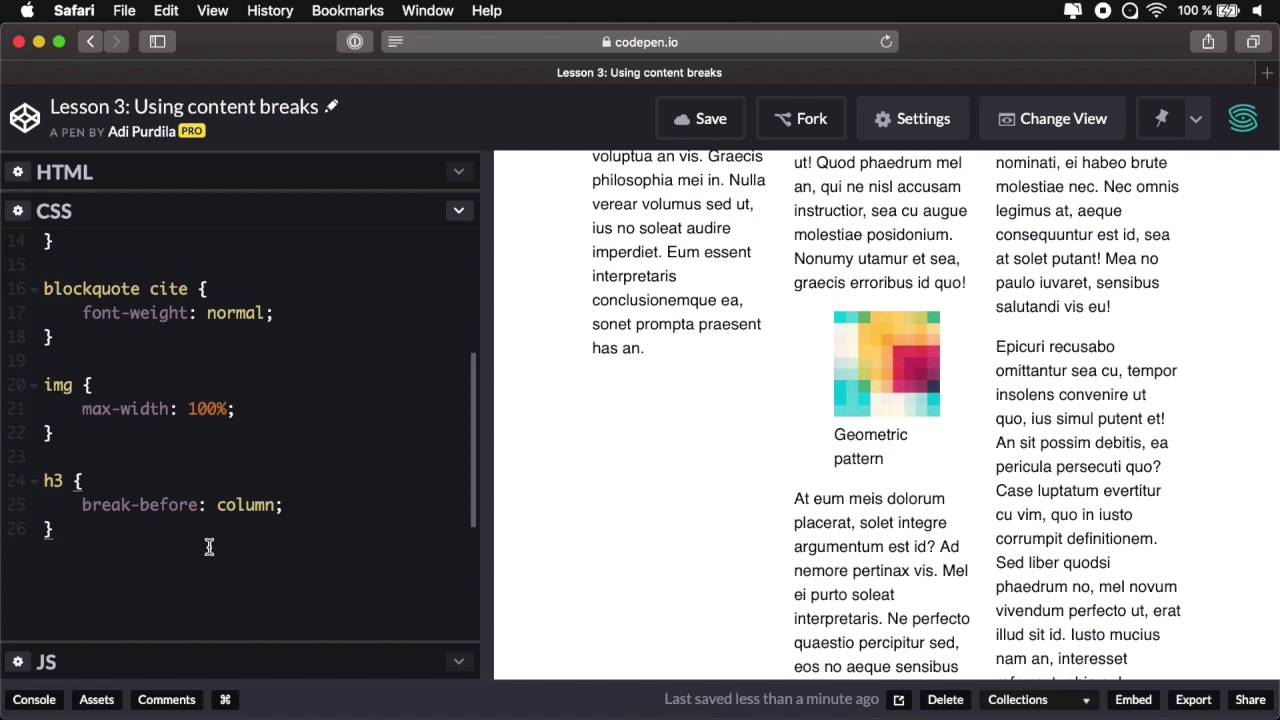
When you're using the multi column layout, it's inevitable that at some point, you'll end up with breaks in the content where there shouldn't be. For example, the caption of an image is positioned in a different column than the image itself or the heading I have a section in one column and the content that is associated with that column is in different column. Normally, you don't want these things to happen and to avoid this, first, you must understand the concept of fragmentation. Fragmentation occurs when you split your content in multiple columns or multiple pages like you would for print. Well, CSS has certain rules for this, our rules contained in what's called the CSS Fragmentation Specification, and you'll find a link to this in the lesson notes. Long story short, the spec has 3 properties you can use to handle content breaks, and make sure that what I described earlier doesn't happen. So let's take a look at some examples. Here I have the exact same page as in the previous 2 examples and let's go ahead and set columns, let's say 10 rams each, all right? And that's gonna create three columns. Well, what happens here is that the browser will fragment the content in three parts, in three boxes, in three columns. One thing that we notice immediately, is that this blockquote starts in one column, finishes on the other. So let's go ahead and say, column-spam, all, this is not necessarily related to using content breaks with the properties, but it's one way of getting around a content break that it shouldn't happen. Now let's say that we want each column to start with a heading or we can do that or we can force a column break on the heading. So I'm gonna say heading 3, break-before column. So that's basically gonna force each h3 into a new column and we have a couple of them. We have one here and we have one here and we have one here. Now you can also use the break after property. It has the same values so for example if I want to break a column after this figure I can say figure break after, column. And that will force, New columns right here, but notice this has an unwanted effect on the layout. So be very careful when working with break before or break after because it might not give you the result that you want. In my case, I'm just gonna remove this because I just wanted to demonstrate the break after property. Now, that's how you can use the break before and break after, but with multi column you can also break inside Box. So if for example I work to add another image, let's save this one, let's add it right here, okay? I'm gonna play around with the width a little bit, there we go. So now I've replicated the problem, so we have an image which sits inside a figure element, and I'll have a caption to that image, okay? And the caption sits below the image, just like it does here but in our case, for this image, the caption just goes to the next column, and we don't want that. So how do we fix it? Well actually, it's a very simple fix, we're just go into the figure element and we say break-inside, avoid, okay? So that will make sure that the figure element does not get fragmented in multiple columns, therefore keeping all of its elements in the same column. So, here it is without breaking side, we see the thick caption, just goes to the next column and with it, it will stay exactly where it should with the image. And that's how you can get around and fix some of these problems caused by the fragmentation, right? By using the break before break after and break inside properties on specific elements you can decide when and where to break a column and move the contents to the next. Now, let's go ahead and see some examples of kind of practical uses of multi column layout that's coming up in the next





