

- Overview
- Transcript
2.4 Integrating WOW.js
In this final lesson we’ll wrap things up by taking a look at WOW.js. WOW.js is a plugin which reveals elements when you scroll. Let’s see how we can use this alongside Motion UI.
Don’t forget: if you have any questions or comments regarding this short course, please head on over to the community forums and get in touch there.
Related Links:
2.4 Integrating WOW.js
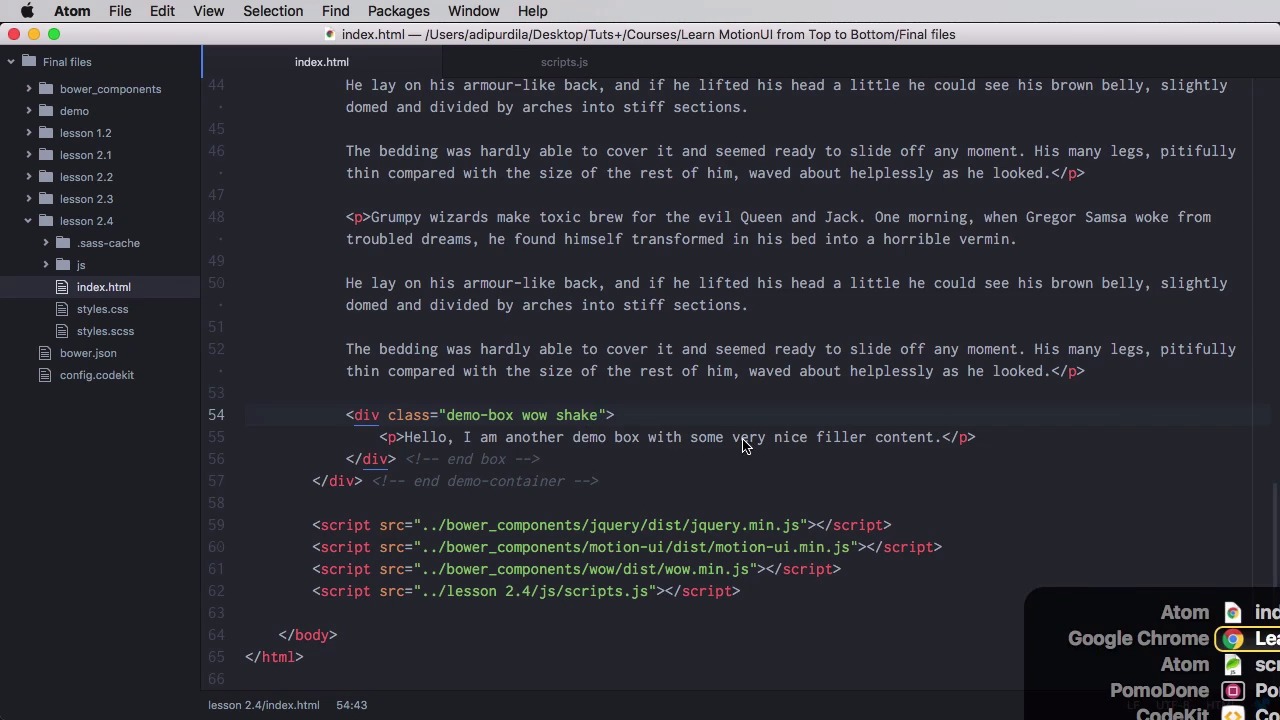
WOW.js is a plugin that will reveal elements when you scroll to them. So let's see how we can use it alongside motion UI. The first thing you need to do is, of course, load the WOW.js library. There are a few ways you can do that you can even find it on Bower, it's at WOW.js. Or you can go to GitHub and download a zip from here. And then all you gotta do is go in your HTML file and load it just like this. Now the test page that we have here is pretty straightforward. We have a bunch of paragraphs with two demo-boxes. And we want to animate these demo-boxes when we scroll to them, right? So the first thing you gotta do is add the class of wow to each box. Now so here WOW and WOW here. The second thing is you need to add an animation name. So since we're using motion UI here, let's just say I want the wiggle animation on this one and I want the shake animation on this one because these are already built in. The final thing you need to do is go to your scripts file and you need to initialize wow.js you would do var, let's call this wow = new WOW, and then you'll do WOW.init and that's it. So, now when you go back here, when you scroll down, you'll notice that we have a shake animation, and then again, we have a wiggle animation or is it the other way around. Let's see, yeah, so wiggle on top, shake on the bottom, so let's see that again. Yep, there's one and there is the other. Now, we can also use custom animations for this, and there is no special way to create these animations, just because you're using WOW.js. You would just create them like normally, like you saw in the lesson about animations. So, in here, we're gonna say custom animation and we're gonna define a class called custom combination. Let's do one of those crazy combinations again. So we're gonna do include mui-animation and we're going to do slide, fade, spin and zoom like this are going to set an animation duration of I don't know two seconds, for example, right? So instead of this shake, for example, I can say here custom-combination. So now going back here, yeah, there is the first animation and when I scroll back down, there's the last animation. And this is how you can really easily integrate while digests, now I'm not going to go over more complex examples. If you want to check out the lesson now it's where you'll find a link to a course that explains WOW.js more in depth. That's it for this lesson and for this short course. Thank you so much for watching and I hope it gave you all the information you need to properly use the SAS library. Now if you have any questions regarding this course please head over to our community forums on our courses and tutorials and create a new topic with the name of the course. Then make sure you mention my name using the at sign so I'm notified immediately and I can reply. That's it for now hope to see you again soon take care.





