
 Lessons: 13Length: 1.3 hours
- Overview
- Transcript
2.8 Setting Up for the “Footer One” Panel Entry
In this lesson we’ll see how it’s possible to reuse fields that were set up with other purposes in mind as we get the content in place for our “Footer One” panel.
1.Introduction
1.1Building Landing Pages With Craft CMS00:51
2.Building Landing Pages With Craft CMS
2.1Setting Up the Template Essentials09:36
2.2Setting Up for the “Hero” Panel Entry08:52
2.3Adding the “Hero” Panel Entry and Template10:27
2.4Setting Up for the “Features” Panel Entries03:53
2.5Adding the “Features” Entries and Template08:57
2.6Setting Up for the “Pricing” Panel Entries05:18
2.7Adding the “Pricing” Entries and Template13:33
2.8Setting Up for the “Footer One” Panel Entry01:27
2.9Adding the “Footer One” Entry and Template03:53
2.10Setting Up for the “Footer Two” Panel Entry03:56
2.11Adding the “Footer Two” Entry and Template05:52
3.Conclusion
3.1Wrapping Up01:43
2.8 Setting Up for the “Footer One” Panel Entry
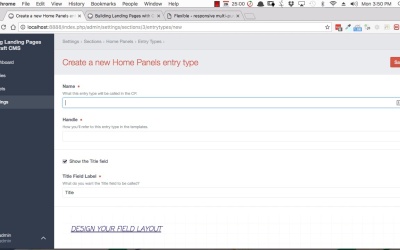
Hey, welcome back to Building Landing Pages with Craft CMS. In this lesson, we're going to be setting up all the backend requirements for what we're calling the Footer One Panel, that's this here. Now this one is going to be pretty quick because we don't need to set up any new fields, and the reason is, the fields that we already set up for the Hero Panel can also be used to apply to the Footer Panel. We're just going to reuse those fields inside another entry time, so we are going to our Dashboard Settings. So, as I said this time, we don't need any fields, so we'll skip that stage. We're just going to go straight into our sections, edit our entry types, create a new entry type. We'll call it Footer One. Leave Show the Title Field checked, and then we're just gonna borrow from the fields that we use for our Hero Panel. So, make a new tab and rename it to Footer One. Now we'll add the same fields, Hero Image Description, Button Text, Button URL, and we'll save. So that's it for that entry type. We've been able to do that really efficiently by just reusing some of the fields that we already had. In the next lesson, we'll set up the entry for that and also the template, so I'll see you there.





