

- Overview
- Transcript
2.2 Creating the Store
Welcome back to the course. In this lesson, we’ll actually create our online store using Shopify. Let’s begin.
Related Links
1.Introduction
1.1Welcome to the Course00:57
2.Building the Store
2.1A Bit of Planning03:36
2.2Creating the Store01:54
2.3Creating Collections05:45
2.4Adding Products to Our Shopify Store13:03
2.5Adding Pages03:52
2.6Installing a New Shopify Theme04:07
3.Customizing the Store
3.1Homepage18:11
3.2Collection and Product Page03:49
3.3About and Contact Page05:18
2.2 Creating the Store
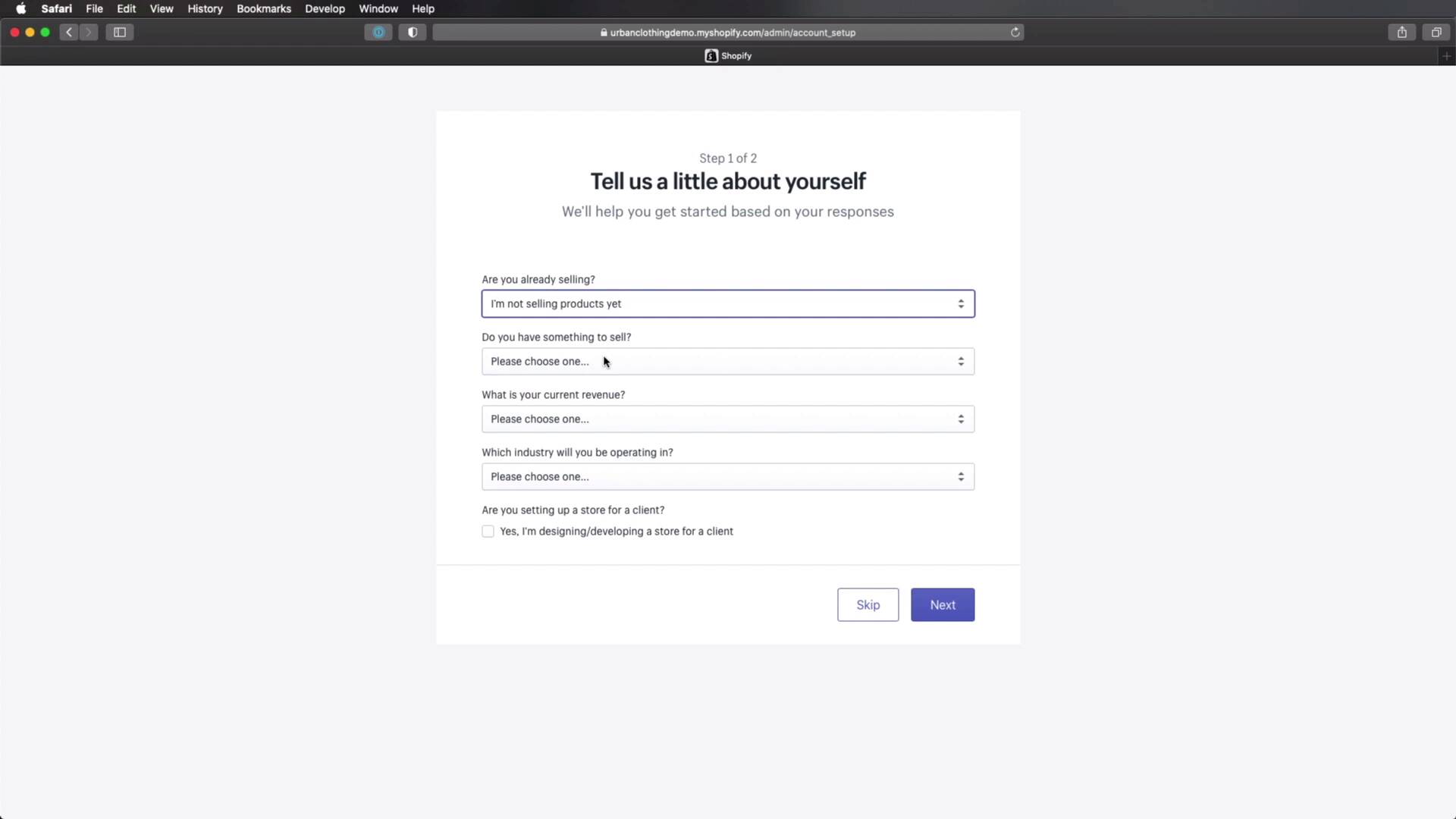
You're welcome back to the course. In this lesson, we'll create the online store using Shopify. So, let's begin. We'll go to Shopify.com. And, of course, if you already have an account, it would go ahead and login. In my case, I'm gonna click start free trial or I can enter my email address here. And I can click this link. So let's go ahead and do that. Enter your email address, your password and your store name. So let's say Urban Clothing. That's already taken, let's see Urban Clothing Demo that should be okay. So click Create your store. Next Shopify is gonna ask us some question like are you already selling, and we'll just say that I'm not selling products yet. That's what we're doing right now. Do you have something to sell? I'm gonna select this third option. What is your current revenue? Let's say that I'm just getting started. And industry, let's select clothing. Are you setting up the store for a client? It really doesn't matter at this point. So we're gonna just hit Next. Now let's add an address. Here, you would obviously just enter your business address. In my case, I'm just gonna add some random numbers here. And after that's done, hit Enter my store. And that's it. You now have an online store created and hosted on my shopify.com. All right, our store is now created, but we don't have any content on it. So let's take care of that in the next lesson. We'll add some collections. So I'll see you there.





