

- Overview
- Transcript
3.6 How to Add a Custom Domain
Congratulations! You now know how to build a Shopify store. In this final lesson, you’ll learn how to move your store to your own domain. This is something I recommend you always do because it’s much better for your website’s SEO than hosting it on a Shopify subdomain. So let’s finish up our Shopify tutorial by seeing how you can do that.
Related Links
1.Introduction
1.1Welcome to the Course01:57
2.How to Set Up a Shopify Store
2.1Planning the Store06:53
2.2How to Sign Up and Create an Online Store06:40
2.3How to Set Up Shopify04:51
2.4How to Add Products in Shopify09:37
2.5How to Add and Manage Shopify Collections06:12
3.Customizing Your Shopify Store
3.1How to Apply a Custom Theme07:30
3.2How to Edit a Shopify Theme10:39
3.3How to Add New Pages and Blog Posts04:29
3.4How to Set Up the Navigation03:50
3.5How to Add and Edit Theme Languages04:15
3.6How to Add a Custom Domain02:30
3.6 How to Add a Custom Domain
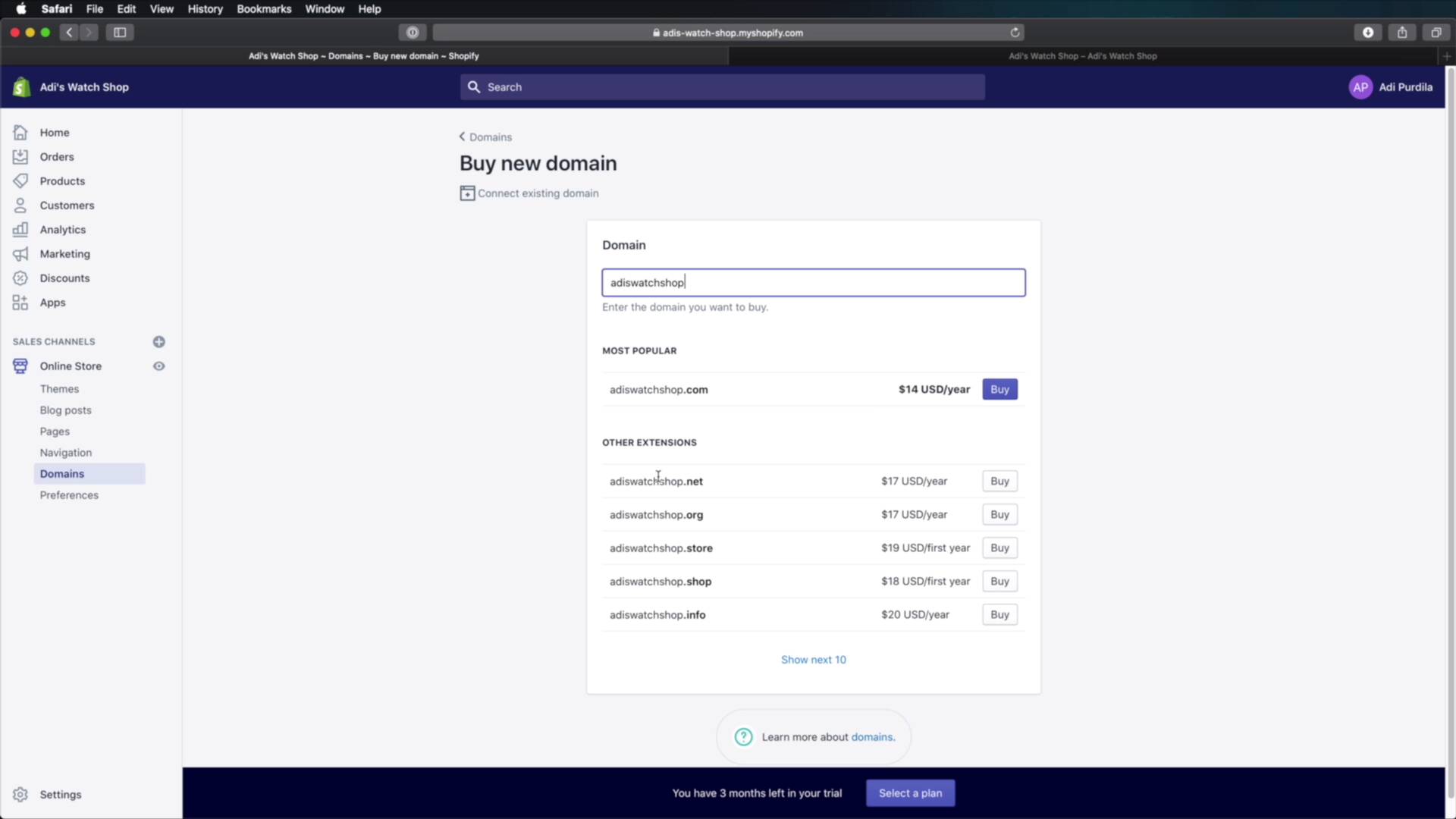
Welcome back to the course. In this final lesson, you'll learn how to move your store to your own domain. And this is something I recommend you always do because it's much better than hosting it on a Shopify subdomain. So let's see how we can do that. Now if you notice, the address of my shop is currently adis-watch-shop.myshopify.com. But what if you have your own domain, for example, adiswatchshop.com? Well, it's really easy to move to a dedicated domain. If you're on the homepage, you'll usually get this message here telling you, hey, you can connect the domain. And you also have an instructional video telling you exactly how you do that. Or you can go to Online Store > Domains. And then if you have a domain, then you would hit transfer domain. If you don't have a domain, you can buy one through Shopify. Let's say adiswatchshop.com. Let's see if that's available, and it is. It's $14 a year, you can hit Buy, or you can choose a different extension here like dot net, dot org, dot store, dot shop. And you can buy any of these. And you can just connect your new domain with your store. If you have an existing domain, you can hit Connect existing domain. You would just enter your domain name here, you would hit next, and you would just follow the instructions. It's really, really that simple. All right, and that's how you can add your own custom domain to the store. Now, I encourage you to go through the rest of the settings that you see here, and make sure everything is set properly. And once that's done, you're pretty much ready to go live with your brand new store. With that said, I would like to thank you very much for watching this course. I hope it gave you all the information you need to get started with Shopify. And even though we worked on a demo store in this course, the process is the same for any project. You just need to follow the same steps and you'll be on the right track. I'm Adi Podilla, and until next time, take care.





