
 Lessons: 11Length: 1.3 hours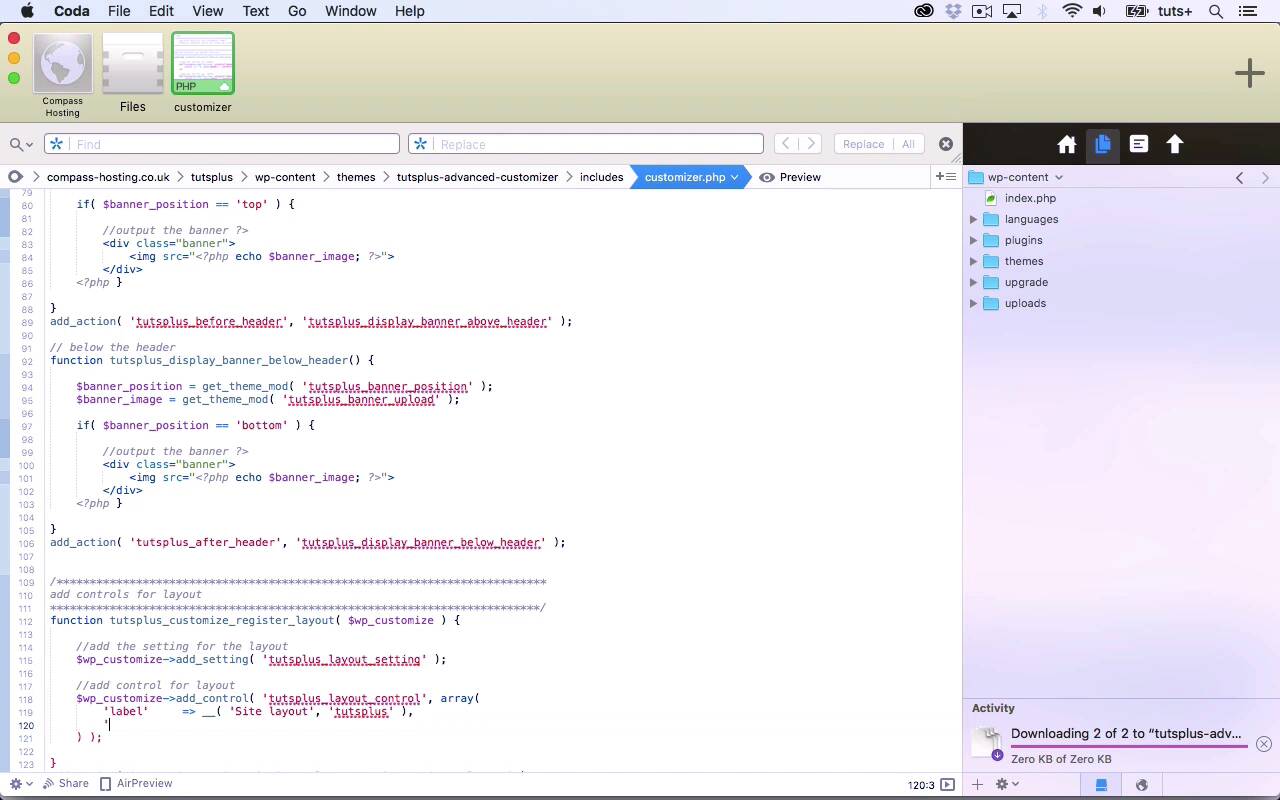
- Overview
- Transcript
3.1 Adding Controls for Layout
In this lesson, we'll create radio box controls to let users define the layout.
Related Links
1.Introduction
1.1Introduction00:48
1.2Creating a File for Customizer Code and Setting Up Sections08:04
2.Header Design
2.1Adding Settings and Controls for Image Upload11:29
2.2Displaying Images in the Theme08:51
3.Customizing Layout
3.1Adding Controls for Layout06:23
3.2Adding Classes to Your Page for Layout Styling06:38
3.3Styling the Layout CSS Classes06:53
4.Customizing the Color Scheme
4.1Creating a Control and Settings for Color Schemes04:10
4.2Organizing the CSS11:57
4.3Adding Color Styles to the Theme Stylesheet10:14
5.Conclusion
5.1Conclusion02:55
3.1 Adding Controls for Layout
Hello and welcome back to this Tuts+ course on the WordPress Customizer. In this part of the course, we're going to populate another section in the Customizer and that's for the site layout. So here's the code for my Customizer file, and I've already added some commented out text and I'm gonna write a function. And again, that will take the WP customize object. Because it is hooked to, The customize register hook. So the first parameter here is customize_register. And the second is the name of my function. So within my function, first, I'm gonna add a setting. So to save myself a little bit of time, I'm gonna copy some code from up here. And I'm gonna call this one tutsplus_layout. In fact, I won't call it tutsplus_layout, because I already got a section called tutsplus_layout. And I want to try and keep all of my settings and all of my unique IDs different, so I don't get confused later on. So I'll call that tutsplus_layout_setting. And I then want to add a control and again, this will be for radio buttons. Editing my commented out text. So for a radio button, I start by giving it a unique ID. And I'll call that tutsplus_layout_control. And then I want an array of arguments. And my first argument is gonna be the label. Not banner position, that's what I had earlier. It's going to be called Site layout. My second argument here is the section that it's in. And that is this tutsplus_layout section here. So I'll copy that and paste it down here. I then need to define which setting it matches up to, Which is this setting here that I just created, tutsplus_layout_setting. And then I need to define the type which is radio button, And the choices. And again, these are in an array. So on the left, I have the value that we saved the database and on the right, I have the text that will be displayed on the screen. So those are my three choices, sidebar-left, sidebar-right or no-sidebar. So I've already hooked that to register_layout, and that's my setting and control added to the Customizer. So now if I go back and I refresh the screen on the Customizer, it's not showing up. So let's try and work how why that is. Now it may be, because I typed setting here instead of settings. So let's take a look. Yes, and that does fix things. It's amazing how unforgiving PHP can be it's not like HTML at all, is it? So all I did there was leave out a single letter. And to be honest, I think that's a bit confusing because I added a setting, I didn't add settings. But there you go, you need to make sure you type settings as that argument. So here in Site Layout, I've got sidebar on the left, sidebar on the right or no sidebar. Now, right now, it doesn't actually affect anything in my design. But that's what we'll be changing in the next part of the course by adding a class to our page that we'll be able to target with CSS. See you next time and thanks for watching.





