


- Overview
- Transcript
5.11 Finishing Touches
In this lesson, you will apply some finishing touches to your JavaScript code to display the current time as soon as the clock SVG has finished loading.
1.Introduction
1.1Introduction00:52
1.2Downloading Snap.svg07:42
2.Creating Graphics in a Snap
2.1Creating Basic Shapes09:38
2.2Complex Shapes08:16
2.3Shape Attributes05:57
2.4Grouping Shapes07:23
2.5Shape Transformations08:37
3.Animating in a Snap
3.1Animation Basics06:58
3.2Animation Callbacks04:53
3.3Easing06:26
4.Basic Interactivity
4.1Installing MAMP03:33
4.2Using an External SVG08:46
4.3Targeting Individual Shapes08:58
4.4Basic Interaction06:32
4.5Hover Events03:32
5.SVG Clock Animation
5.1Importing the Clock SVG06:08
5.2Targeting Individual Clock Shapes08:30
5.3Pulling the Current Time08:30
5.4Organizing the Code05:32
5.5Time Is Circular07:26
5.6Staying Current03:08
5.7Animating the Second Hand03:11
5.8Fixing the Second Hand Animation08:51
5.9Minutes and Hours09:43
5.10Adjusting the Hour Hand03:44
5.11Finishing Touches05:31
6.Conclusion
6.1Conclusion00:54
5.11 Finishing Touches
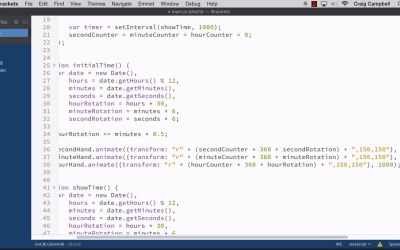
Hello and welcome back to Anna meeting with Snap as Fiji. For the most part we finished up our clock, but there's still one little thing about our clock that bothers me that I wanna fix before we wrap the course up. If we go to our page and refresh it, you'll see that there's a second where the hands remain at 12 o'clock midnight. And then everything animates very quickly into place after one second and then the animation proceeds as normal. Well I don't necessarily like that, I don't want a short pause before everything jumps into place and then starts animating. I wanted to reflect the right time as soon as we load the page, so let's make it do that. I'm gonna jump into Finder. And we're gonna make a copy of our site23 folder. And this should be our final folder for the course, site24. So let's drag that down to Brackets. And we'll jump into our main.js file. So we've already gotten most of the code that we need to make this happen. We've got our date right here. We're creating our date. We're pulling in hours, minutes, seconds and then calculating the rotation. And then down here we're doing the animations. So all we need to do is take that code and copy it into a new function called initial time or whatever you want to call it. So just before the show time function we'll create another function called Initial time. And here we're not going to animate the clock, we're just going to set it up in its initial configuration for when the page first loads. So, I'm gonna grab this code here where we're grabbing the date, and the hourRotation and everything in between. So we'll copy all of that and paste it into initial time. Now, there are ways we could clean this code up a little bit so that we're not copying and pasting code. But since this course is targeted for designers, I don't wanna get too complex with it. So I'm just going to keep it as is for now. So if you're a developer and you're flipping out because I'm copying and pasting code, then you at least know how to clean it up for yourself. But for now, I wanna keep this simple and understandable so we're just gonna copy and paste code. Again, there are other ways you could clean it up and in fact I would challenge you to do that yourself. If you wanna learn javascript, that's a great way to get started, take some existing code and make it better. But we're gonna go into the Showtime function again and we don't need to increment any counters here. So, we don't need to worry about this code right here, but I do wanna grab these three animate methods. Now, again, we're not gonna animate right now. We're just gonna transform and put everything into place, but I'm gonna use these animate functions as a starting point. So we'll grab those three. And throw them into the initial time function as well. The only difference is, instead of animating, we're gonna be transforming. So, I'm gonna grab the .animate, and the opening parenthesis and opening curly bracket, and delete it so that we have secondHand.transform. And then, instead of this colon here we need a set of parentheses. So there's our open parenthesis, and then at the end we don't need this close in curly bracket because the opening one has been deleted. And since it's not a animation, instead it's a transformation, we don't need the duration, so we can get rid of the 1000. So now we have all of this contained within parentheses. And we don't need this part of the calculation right here. We don't need secondCounter times 360 + secondRotation. Instead, for the initial configuration, we just need secondRotation. And we don't need this inner set of parentheses. So that should work out just fine. So let's do the same thing for our next line. Instead of animate we're gonna say .transform. And then we'll get rid of that colon and put everything inside parenthesis. So we'll get rid of all of this here. Get rid of the easing function as well, because again we're not animating we're just doing a transform. And then we'll get rid of a lot of this except forms, we needed to keep that. We'll get rid of the parentheses there and then get rid of the first part of this calculation here, so that all we have is minuteRotation. And then once again we'll do it for the hour hand and then we should be good to go. So let's get rid of a lot of this calculation here. And then get rid of the closing curly bracket and the duration. And we should be good to go. So now that we've created this initial time function we need to call it, so lets scroll up and we're gonna call it inside our callback function for our snap.load, cuz we want this to run as soon as we create our clock, as soon as that clock is finished loading. So we need to wait till after we assign the three hands until after we do this clock.select for the three hands on the clock. But just after that we're gonna run the initialTime function(); to end your statement. That way as soon as the clock loads, it will set the initial time and then one second later, it will start animating. So let's get started. Let's save that. We'll jump back into our browser, and now we need to navigate to site24 and hit Enter. And now you'll see that as soon as the page loads, our hands are already in place. They're not pointing up at 12 o'clock midnight and then animating into place. Instead, they're already there as soon as the page loads. And we can refresh it, just to double check. And sure enough everything looks fine. So that should wrap it up for our finishing touches for our clock SVG file. Thank you for watching. And I'll see you in the next lesson.





