

- Overview
- Transcript
3.5 Contact Form
Lesson Notes * Sign In or Register: Form Design from Scratch
Transcript Hi guys, welcome back to 30 Days to Your First Website Design, a Tuts+ Premium course. I’m Ian Yates and today we’re going to talk about our contact form. We’ll begin as always by taking a quick look at what we’re going to cover in this video:
- Firstly we’ll talk a little bit about usability
- Before we jump straight into our layout file to continue with the design
- With our form design complete, I’ll leave you with an assignment before we move into the next video
Barely a website comes to fruition these days without including a form of some sort. Contact forms, newsletter sign up forms, online checkouts, login forms, comment forms – they all invite users to enter information and submit it in order to complete a process.
You’ll remember we talked about goals and conversions earlier in the series, and forms are often a fundamental step in the user completing goals of some sort. They’re also therefore, a classic stumbling block. If ever there was a sure fire way of preventing someone from completing an online process, it’s presenting them with an awkward form.
Take Captcha for example, you’ll have no doubt completed one in the past, and you’ll have no doubt had to have had a couple of attempts at some point too. They’re a great way of preventing spam from hitting your inbox, but they’re also a significant hurdle for users. A Captcha input runs a very high risk of turning users away.
There being too many fields is also a turn-off. In our contact form, for example, we’re only going to request the bare minimum information needed – name, email, and message. With this information we can get in touch with the user – we don’t need their address, telephone number, shoe size etc. In short, we want our form to be as user friendly, as easy to fill in as possible.
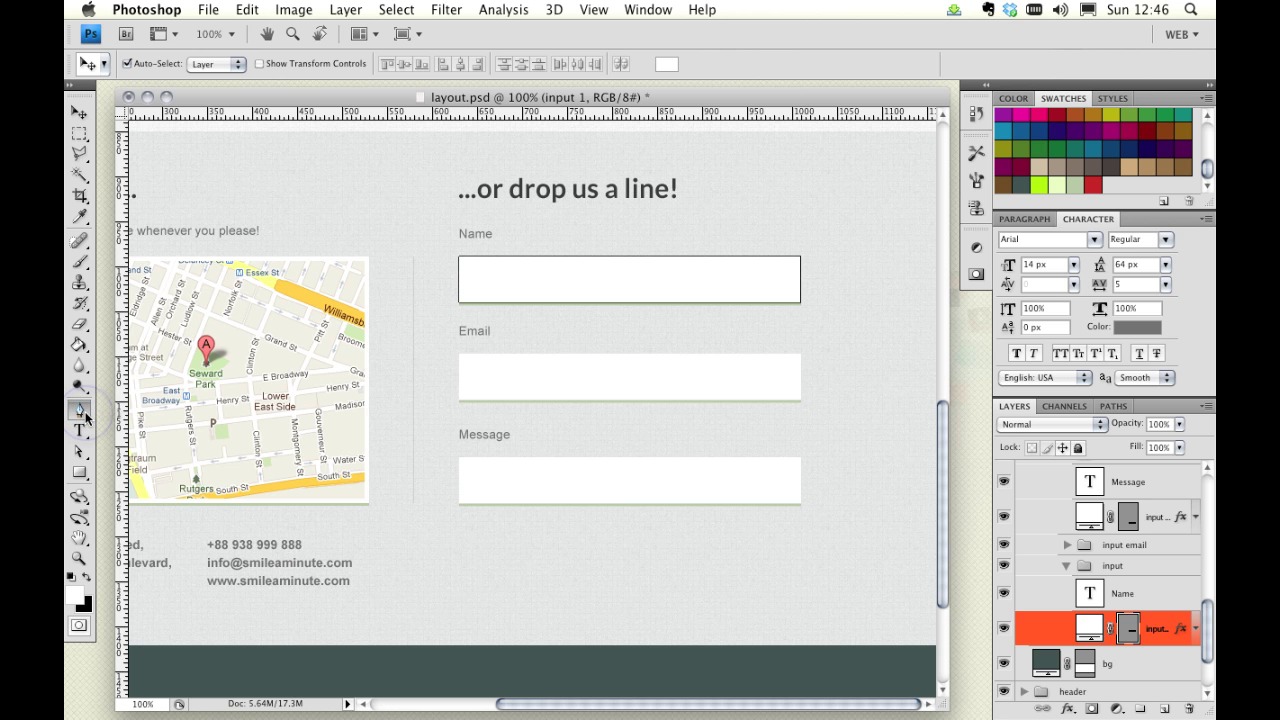
Alright – let’s dive into our psd and polish up our contact section.
[Photoshop live demo not included in transcript.]
Next Steps OK, it’s time for some further reading: This article on Webdesigntuts+ is a short series of two tutorials on building a sign-up and register form. The first part of the series deals purely with the design aspects and using Photoshop.
And before we jump into the next video, I have an assignment for you: much in the vein of the last few videos, I’d like to you continue with the psd file we’re building; adding of course, the contact form.
Next time on 30 Days to Your First Website Design we’ll be looking into our footer section. I’m Ian Yates and from all of us at Tuts+ thanks for watching!
1.Introduction
1.1Introduction02:44
1.2What is Web Design?06:01
1.3Usability06:07
1.4Content05:20
1.5Goals05:27
2.Planning
2.1Three Don'ts of Design Theory02:48
2.2Inspiration05:45
2.3Style and Theme06:05
2.4Conceptual Sketching11:12
2.5Designing with Grids09:01
2.6The Anatomy of a Webpage05:44
2.7Whitespace05:03
3.Design Concepts
3.1Backgrounds and Textures10:18
3.2Navigation08:31
3.3Web Typography09:12
3.4Features Section16:04
3.5Contact Form12:25
3.6Footer Section09:05
3.7Prepping Your Design05:23
4.Site Elements
4.1Sprite Sheets14:07
4.2Project Organization04:47
4.3Code Editors14:45
4.4Web Standards Model16:25
4.5Semantics14:36
5.Prepping Your Design
5.1Further into CSS12:49
5.2Browsers16:50
5.3Behavior: jQuery slideshow12:43
5.4Form Validation13:23
5.5Cross Browser Testing11:21
5.6Google Analytics07:25
6.Conclusion
6.1Conclusion00:48





