

- Overview
- Transcript
4.4 Web Standards Model
Lesson Notes * World Wide Web Consortium wiki
Transcript Hi guys, welcome back to 30 Days to Your First Website Design, a Tuts+ Premium course. I’m Ian Yates and we’re now going to have a look at the web standards model.
We’ll begin as always by taking a quick look at what we’re going to cover in this video:
- We’ll discuss what the web standards model is, and why we strive to comply with it.
- We’ll take a look at our own project with regard to web standards.
- I’ll then suggest some further reading as well as setting an assignment.
A few videos ago we glimpsed briefly at table-based layouts; what they were and why they were so dreadful. The web standards model aims to solve all the niggling problems manifested in table-based layouts, which typically included any styling in-line (ie: tangled up within the markup).
By aiming to comply with web standards, by standardizing the way we build websites, we’re making life easier for ourselves, but most importantly making it clear for web browsers how they should treat our code.
So what is this model of which I speak? The standards model breaks aspects of web design into layers: Structure, style, and behavior.
These are the fundamental components of any web project, and you’ll be familiar with them in the form of:
- HTML Markup (which is your structure)
- CSS (which handles the styling)
- and JavaScript (which deals with any behavior on the front end of your web application)
So why bother separating these three? What was wrong with the old methods? Well, there are several distinct advantages:
- Efficiency (by adhering to standards you simply need much fewer lines of code)
- Ease of maintenance (trawling through single, bloated pages of illegible markup, repeated styling, and lengthy javascript, is just not pleasant)
- Accessibility (screen readers, for example, for people who are visually impaired, can read your page easily as the content isn’t polluted by styling and scripting nonsense.)
- Compatibility (by breaking your project into its composite elements, varying devices have a much better chance of rendering your web pages properly. You can even target individual devices using specific styling for example.)
- SEO (standards compliant pages are easily crawled, understood, and the relevance therefore evaluated, by search engine bots)
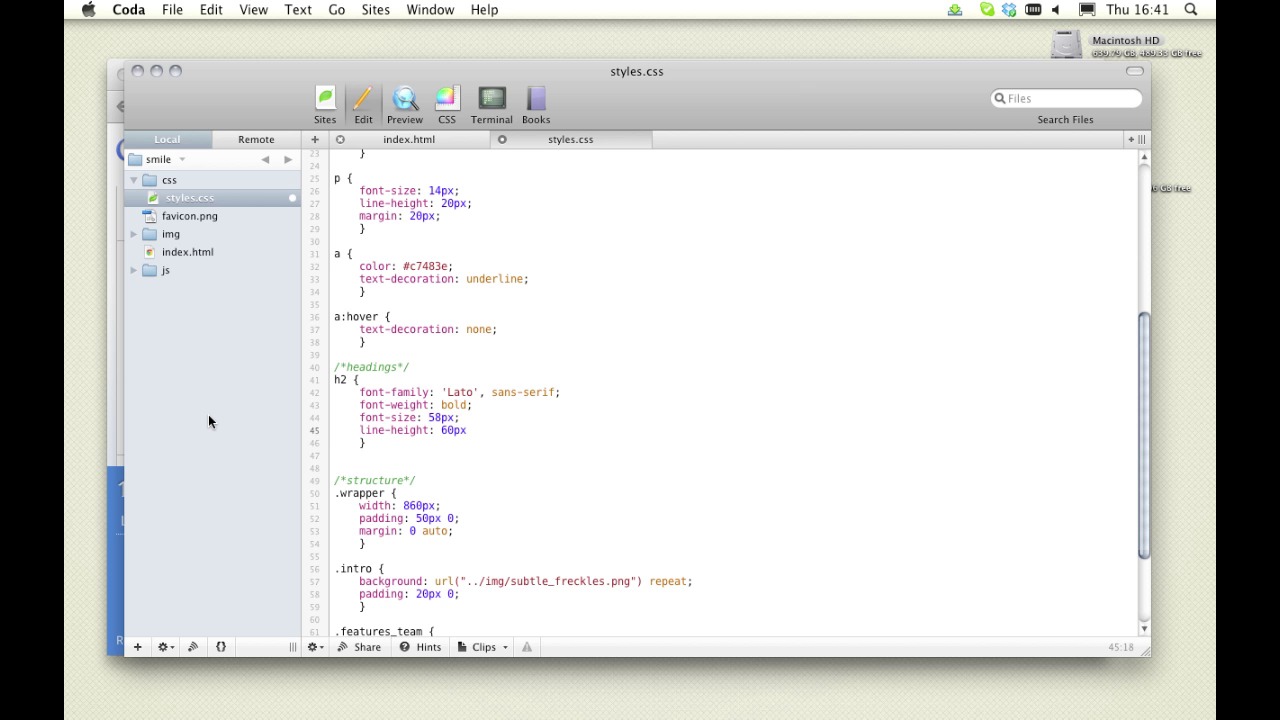
Let’s take a look at our own project. We’ve covered the directory structure, but you should now have a clearer idea of the reasoning behind structure like this. Let’s build things a little further by finishing off our upper region.
[Live demo not available in transcript.]
Next Steps OK, it’s time for some further reading: Have a look what’s said about the web standards model over on the World Wide Web Consortium wiki – if any organization has a sound opinion on WEB STANDARDS, it’s the guys who actually develop them. Secondly, for a look at HTML fundamentals you can’t do much better than this article by Michael James Williams over on Activetuts+: Get Up to Speed with HTML.
And before we jump into the next video, I have an assignment for you: Keep going with our files. Continue to build our HTML and CSS as we’ve done in this video.
Next time on 30 Days to Your First Website Design we’re going to look a little more closely at markup and semantics. I’m Ian Yates and from all of us at Tuts+ thanks for watching!
1.Introduction
1.1Introduction02:44
1.2What is Web Design?06:01
1.3Usability06:07
1.4Content05:20
1.5Goals05:27
2.Planning
2.1Three Don'ts of Design Theory02:48
2.2Inspiration05:45
2.3Style and Theme06:05
2.4Conceptual Sketching11:12
2.5Designing with Grids09:01
2.6The Anatomy of a Webpage05:44
2.7Whitespace05:03
3.Design Concepts
3.1Backgrounds and Textures10:18
3.2Navigation08:31
3.3Web Typography09:12
3.4Features Section16:04
3.5Contact Form12:25
3.6Footer Section09:05
3.7Prepping Your Design05:23
4.Site Elements
4.1Sprite Sheets14:07
4.2Project Organization04:47
4.3Code Editors14:45
4.4Web Standards Model16:25
4.5Semantics14:36
5.Prepping Your Design
5.1Further into CSS12:49
5.2Browsers16:50
5.3Behavior: jQuery slideshow12:43
5.4Form Validation13:23
5.5Cross Browser Testing11:21
5.6Google Analytics07:25
6.Conclusion
6.1Conclusion00:48





