


- Overview
- Transcript
4.5 Semantics
Lesson Notes * Wikipedia: semantics * The Importances of Semantics on the Web * html5doctor.com
Transcript Hi guys, welcome back to 30 Days to Your First Website Design, a Tuts+ Premium course. I’m Ian Yates and today we’re going to look a little further into HTML and semantics.
We’ll begin as always by taking a quick look at what we’re going to cover in this video:
- We’re going to firstly define semantics
- We’ll look at some examples of what semantics are and are not
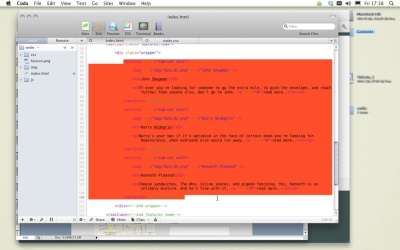
- Then we’ll complete our own document’s markup, adhering to the rules we’ve discussed.
- Finally, after some further reading, and before we jump into the next video, I’ll ask you to complete an assignment.
The word semantic with regard to HTML is used to refer to the meaning of the markup used.
These days, with the arrival of HTML5 syntax, we can use elements such as “<nav>” to denote navigational elements of the site, whereas previously we might have used a <div class=”nav”>. We also have <footer>, which you’ll have seen in our web markup. Previously we might have used a <div id=”footer”> - perfectly understandable for whoever wrote it, but not a recognizable standard.
Having more semantic elements at our disposal allows us to more clearly describe the contents of our web pages. Remember the standards model we talked about in the last video? The separation of structure, styling, and behavior? Well, using semantics within our markup simply helps us to give fundamental meaning to our HTML, without having to visually describe it.
Semantics further aid the accessibility of our document; screen readers don’t use the styling we define, so by explaining with markup what each area of the page is for, screen readers can better interpret what they’re looking at.
Semantics also help to clean things up, as the two examples I’ve given you suggest.
It’s worth noting that practicing SEMANTICS doesn’t just apply to the elements you use – it can also go as far as the selectors (the classes, and ids) that you define.
Take this for example:
<strong class=”red”></strong>
or
<div class=”left”></div>
You might think these are fine, and you might come across them in examples you find on the web. But actually, in assigning identifiers like these, you’re tangling up the structure and presentation again. Who’s to say the left div won’t be positioned at the right of the page in the future? You might then have a CSS rule which looked like this:
div.left {float: right}
Which would be nonsense.
Keep your selector names semantic. Describe WHAT you’re building, not how it might appear:
<div class=”user-info”></div>
OK, so that’s covered the meaning of semantics, let’s now finish off our own markup, as semantically as possible.
Next Steps OK, it’s time for some further reading:
Firstly, for clarification on what semantics mean, have a look at this entry on wikipedia: semantics. Then, for a more opinion-based article, see what Peter Gasston has to say on the importance of semantics on the web: The Importances of Semantics on the Web. It’s a quick article in which he discusses aboutness (there’s a new word for you). Lastly, for a solid reference on all the semantic elements currently available through HTML5, take a look at html5doctor.com. You’ll also find a lot of discussion about how to use each element, and what they mean.
And before we jump into the next video, I have an assignment for you: Finish off the HTML markup of our document – it’s good practice for what we just discussed.
Next time on 30 Days to Your First Website Design we’re going to continue with our design by looking further into the CSS. I’m Ian Yates and from all of us at Tuts+ thanks for watching!
1.Introduction
1.1Introduction02:44
1.2What is Web Design?06:01
1.3Usability06:07
1.4Content05:20
1.5Goals05:27
2.Planning
2.1Three Don'ts of Design Theory02:48
2.2Inspiration05:45
2.3Style and Theme06:05
2.4Conceptual Sketching11:12
2.5Designing with Grids09:01
2.6The Anatomy of a Webpage05:44
2.7Whitespace05:03
3.Design Concepts
3.1Backgrounds and Textures10:18
3.2Navigation08:31
3.3Web Typography09:12
3.4Features Section16:04
3.5Contact Form12:25
3.6Footer Section09:05
3.7Prepping Your Design05:23
4.Site Elements
4.1Sprite Sheets14:07
4.2Project Organization04:47
4.3Code Editors14:45
4.4Web Standards Model16:25
4.5Semantics14:36
5.Prepping Your Design
5.1Further into CSS12:49
5.2Browsers16:50
5.3Behavior: jQuery slideshow12:43
5.4Form Validation13:23
5.5Cross Browser Testing11:21
5.6Google Analytics07:25
6.Conclusion
6.1Conclusion00:48





