

- Overview
- Transcript
3.1 Always Plan Ahead
Whenever you start a new project, it's always a good idea to plan ahead. In this lesson, you’ll learn all about effective planning.
1.Introduction
1.1So, You Wanna Be a Web Designer?01:15
2.Web Design Fundamentals
2.1What is Web Design?04:03
2.2A Brief History of the World Wide Web03:32
2.3What is HTML?14:10
2.4What is CSS?14:17
2.5Tools of the Trade06:30
3.The Design Stage
3.1Always Plan Ahead04:23
3.2Create Some Sketches10:42
3.3Introduction to Photoshop09:30
3.4Photoshop Design: Homepage Header12:01
3.5Photoshop Design: Portfolio Area (Part 1)11:04
3.6Photoshop Design: Portfolio Area (Part 2)07:21
3.7Photoshop Design: The Portfolio and About Pages07:45
3.8Slicing the Images05:09
4.The HTML Stage
4.1HTML: Homepage (Part 1)08:11
4.2HTML: Homepage (Part 2), Portfolio and About Page09:46
5.The CSS Stage
5.1CSS: Reset CSS and Typography Rules12:41
5.2CSS: General Positioning09:01
5.3CSS: Page Headers10:20
5.4CSS: Final Touches10:34
6.Conclusion
6.1What You've Learned01:30
3.1 Always Plan Ahead
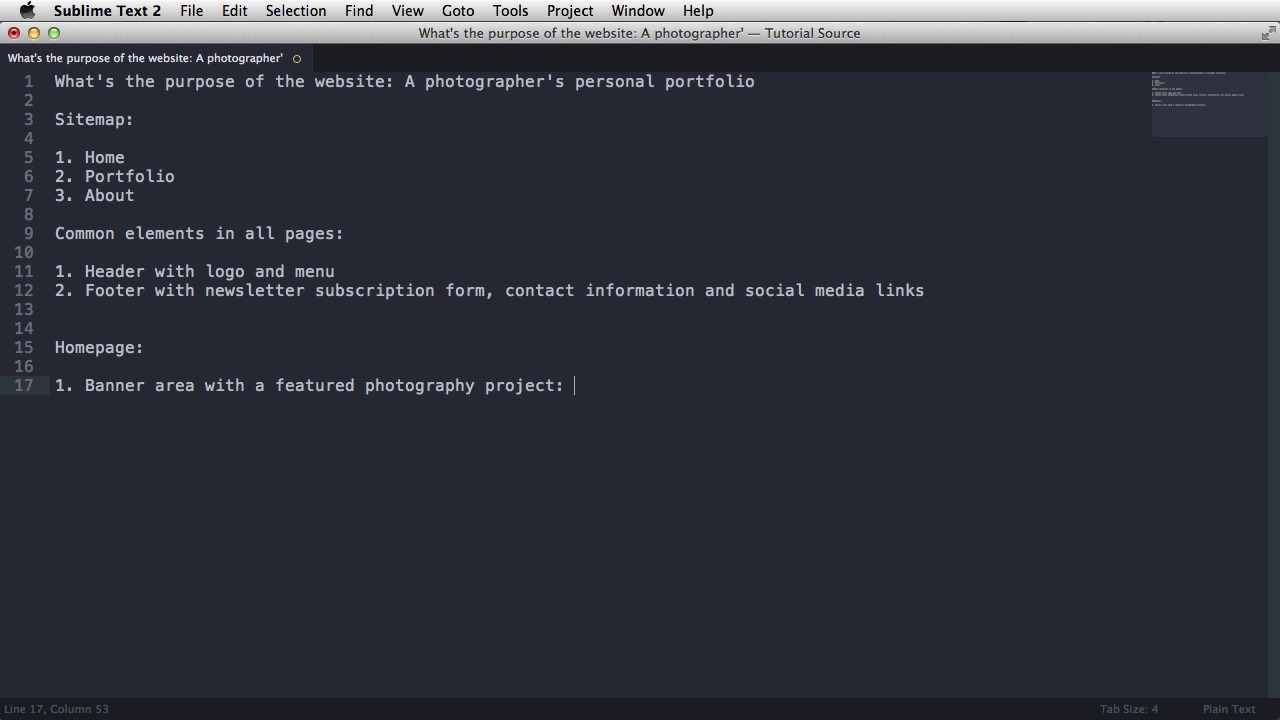
Hey, welcome back. In this lesson, I'll show you how to plan your site structure. Normally, I would use a pen and paper, but since I also want you to see what I'm doing, I'm gonna use my text editor. The first question you start with is, what's the purpose of the website? And the answer to this is, a photographer's personal portfolio. So this is what I'll do for the exercise part. Next you would do a sitemap. Now the sitemap basically dictates all the pages and sub-pages from your website. In my case, I'm gonna have three pages. One is the home page, and then a page for the portfolio, and then an about page, which will show some information about me. Next, what I usually do is try to determine the common elements in all of my pages. So, common elements in all pages. So, we have first of all, a header with a logo and menu. And the menu will reflect these three pages from my sitemap, and then I would have a footer, which is also common for all pages. So footer, with a newsletter subscription form, and then some contact information, and also, since I am quite active on my social media, I'm gonna add some social media links. And those are the two common elements. Now, take for each page, and write down everything you want in those pages. So, for the homepage, I'm thinking of a simple structure like a banner, which shows a featured photo, or a photography project. So, a banner area with a featured photography project. And this will have the title, a small description, an image, and a link to the portfolio page. After that, I wanna have a portfolio area, showing a few more projects, and each of those projects, will link to the portfolio page. So, I'm gonna write it down. Portfolio area showing four more projects, each of them set on two large columns. And here, I'm basically saying that I wanna split my page in two, and have project on half of the page. So each project, contains a smaller image, a title, a description, and a link. Okay, so that's it for the homepage. Next up is the portfolio page. Now, in the portfolio page, it will be really useful to have a list of all of my projects, so whoever is visiting can choose can simply click through each of my projects. So, I'm gonna have a sidebar on the left side, showing a list of all projects. And then, on the right side, I'm gonna have the current project. So, if I click on one of those links from the homepage, it's gonna take me to that project. If no project is specified, then I'm gonna show the first project, and write that down as well. So if none is specified, then show the first project. Okay, finally, about page, I'm just gonna do a short biography. And that's it basically. A simple structure, telling you all you need to know before sketching your website. And speaking of sketching, that's what I'll do in the next lesson.





