

- Overview
- Transcript
1.4 A Basic Example
You can do a lot of things with Cycle. But where do you begin? What’s the most basic example? Let’s find out in this lesson.
1.Introduction
1.1Welcome00:34
1.2Why Cycle2?02:22
1.3Plugin Installation and License01:30
1.4A Basic Example03:19
1.5Settings Options04:42
2.Basic Usage
2.1Captions04:58
2.2Using Navigation Controls04:42
2.3Slideshow Effects and Options04:36
2.4Continuous Slideshow03:49
2.5Using Overlays04:32
2.6Using Pagers08:34
2.7Using Non-Image Slides03:34
3.Advanced Usage
3.1Auto-Height06:27
3.2Image Loader05:19
3.3Progressive Loading08:54
4.Optional Plugins
4.1Carousel09:04
4.2Flip and Shuffle05:53
4.3ScrollVert and Tile03:29
4.4Caption2 and Center05:55
4.5Swipe02:12
4.6YouTube05:22
5.The API
5.1Options09:45
5.2Commands07:15
5.3Events04:09
5.4Cycle States and Hash04:51
5.5Template Customization02:27
6.Conclusion
6.1Final Words00:42
1.4 A Basic Example
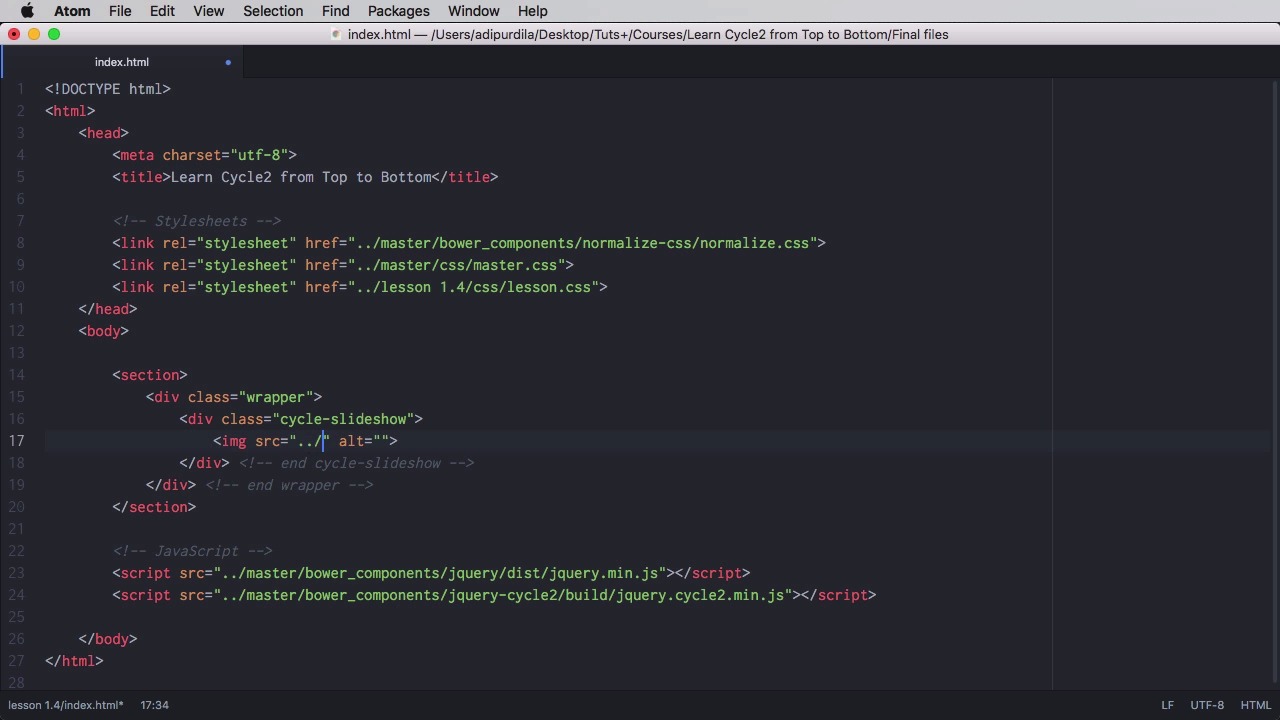
You can do a lot of things with Cycle, but where exactly do you begin? What is considered to be the very basic example? Well, let's find out. Before we start coding, I want to show you the setup that I have right here. So here you can see all the the lesson folders we're gonna go through, but the most important one is this master one. Now, the master folder contains a Bower components folder which in turn has jQuery, has the cycle to plug in, and has normalized CSS.. And then we have an images folder with a few images, some JavaScript and this is for plugins we'll see about this in a later lesson. And finally the Sass folder which just has some beginning Sass files for the demo. And on top of that of course were loading a lot of these here, as you can see the master were loading normalize as a reset and were loading a lesson.scss which currently just has a style set for the images. So over here on the bottom we're loading jQuery and Cycle2. So now the most basic example you can do is something like this will define a section this is not actually necessary, this is just for demo. We're gonna a div with a class of wrapper, and then you do a div with a class of cycle-slideshow. And inside you can put a bunch of images. So in my case I'm going to grab the images from master/img/slide-1.jpg for example. I'm just gonna say slide image here, and I'm gonna copy this three more times to put three more images two, three and four. Right, so let's actually have a look there it is. And we now have a functional slider. The fade transition is used by default, and because of that width 100% style that we set in our Sass file, which is this. So cycle-slideshow img, width: 100%, we make sure that our images are within the boundaries of our container there. But there you go that's the most basic example. Now, there is no JavaScript involved here, in the sense that there is no initialization. So we're just loading the plugin. We set a div with a class of cycle-slideshow, and that's it. And that's actually what the plugin is doing by default. It's searching for elements with this class, and if it finds them, it initializes the plug in on them, and that's it. You see how easy it is. You load some JavaScript files, you write your markup and that's it, basically. Now, of course, doing this will use the plugin's default options. But what if you want to set your own custom options? Well, you'll learn how to do that in the next lesson.


