


- Overview
- Transcript
5.3 Events
In this lesson we’ll talk about events. Cycle allows you to bind to events as the slideshow is running, so you can really tap into its functionality and do some pretty cool things. Let’s begin.
Related Links:
1.Introduction
1.1Welcome00:34
1.2Why Cycle2?02:22
1.3Plugin Installation and License01:30
1.4A Basic Example03:19
1.5Settings Options04:42
2.Basic Usage
2.1Captions04:58
2.2Using Navigation Controls04:42
2.3Slideshow Effects and Options04:36
2.4Continuous Slideshow03:49
2.5Using Overlays04:32
2.6Using Pagers08:34
2.7Using Non-Image Slides03:34
3.Advanced Usage
3.1Auto-Height06:27
3.2Image Loader05:19
3.3Progressive Loading08:54
4.Optional Plugins
4.1Carousel09:04
4.2Flip and Shuffle05:53
4.3ScrollVert and Tile03:29
4.4Caption2 and Center05:55
4.5Swipe02:12
4.6YouTube05:22
5.The API
5.1Options09:45
5.2Commands07:15
5.3Events04:09
5.4Cycle States and Hash04:51
5.5Template Customization02:27
6.Conclusion
6.1Final Words00:42
5.3 Events
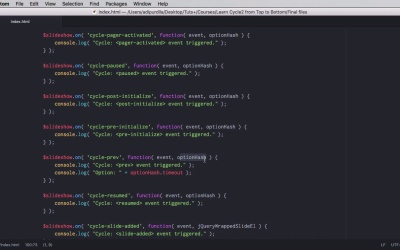
Let's talk about events because as the slide show is running there are a bunch of events happening that you can buy into, and you can execute your own commands. So you can really tap into this functionality and do some really cool things. Let's find out how. We begin this lesson with a very simple example of a slide show. It has a timeout to zero so it's manual, it doesn't log anything to the console and we still have that list of commands that you saw in the previous lesson. And then we have a function here that creates a variable for the cycle slide show. Now as a slide show is running as I was saying, cycle two can get you access to the various events that are running and you can bind to these events. Now we're not going to go into too much detail on this lesson. I'm just going to show you what events are there and when they are triggered. If you want to see some great examples, go ahead and check out the cycle two dental pages. Where you're going to see some examples with progress bars, synchronized slide shows, carousel pagers, and so want so they're really great examples I didn't feel the need to repeat them here so go ahead and follow the links in the lesson notes. For now, what I'm gonna do is write a little bit of JavaScript for these events. Here's what we have here, slideshow.on( 'cycle-after' and then we have a function with a bunch of arguments. Now Cycle after is the name of the event, cycle before cycle bootstrap cycle destroyed and so on. We have all of these and when they happen they're going to log something to the console. Now you're going to see in some of these function you have a parameter called Option hash. We'll talk about this in the next lesson, but basically the option hash is an object that contains a bunch of properties about the slideshow properties that you can read, but also can change. For example here optionHash.timeout, this is an example of how to read a property from the option hash. So most of the names of these events pretty much describe what they do cycleAfter for example is triggered after the slideshowCompleted, a slide transition before is triggered just before the transition to a new slide. Bootstrap is actually an event that allows you to tap into the API methods and change stuff. Destroy is an event this triggered when the instance of the slide show is the destroyed, and so on as I said I won't go into too much detail here. Let's have at look at our page, we're gonna open the console here. So the console log is able by default and that means that only our actions will log stuff to the console. So as you can see the update view event triggered right at the beginning. If I add a slide it's going to trigger the slide-added and update-view events. Next, next actually triggers a bunch of events. So it triggers the before, so the event before the transition. Next update view after. This is another event, and then update view again, go to Slide>Resume>Pause and so on. As I said, go ahead and check out some of the great examples from the Cycle 2 website. If you want to learn more about how to use these events. That's it for events. Now coming up next we'll talk about all the possible Cycle States, and also about something called the hash see you next.


