

- Overview
- Transcript
5.5 Template Customization
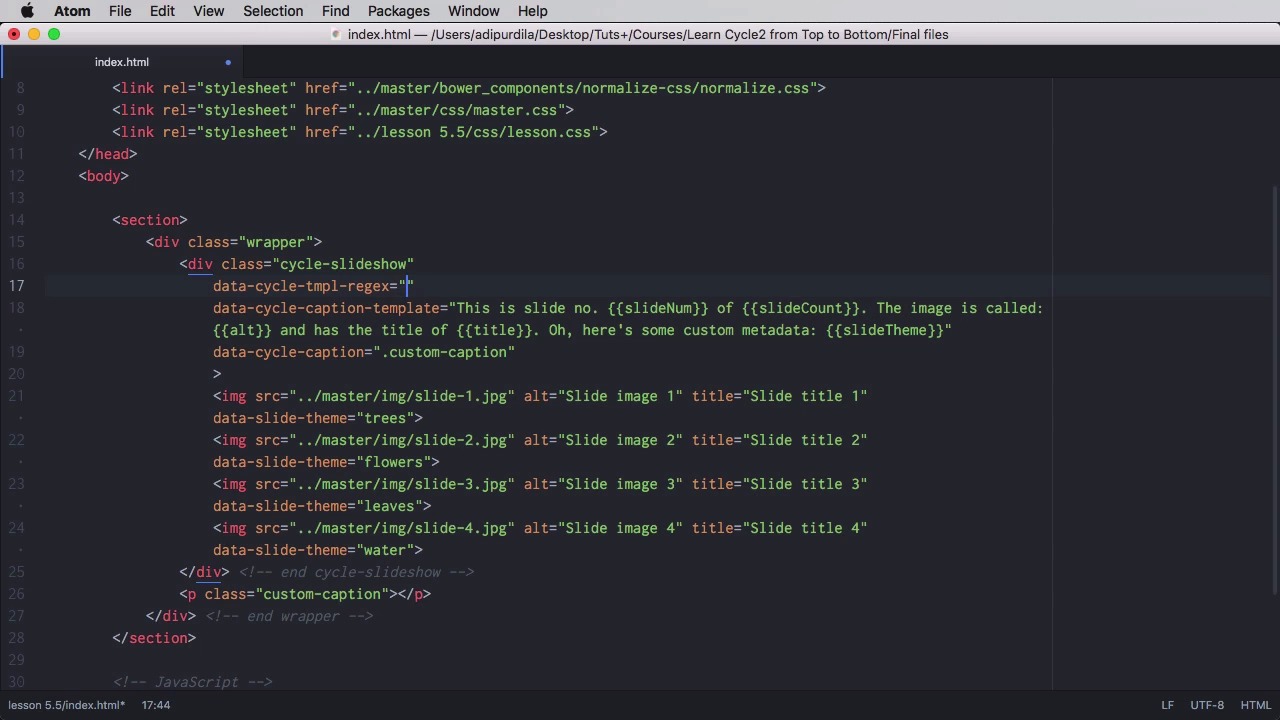
Cycle uses regular expressions for template tokenization. What does this mean? Well, remember those placeholders which used double curly braces and would output information about slides? You can change those to pretty much whatever you want. Let’s see an example.
1.Introduction
1.1Welcome00:34
1.2Why Cycle2?02:22
1.3Plugin Installation and License01:30
1.4A Basic Example03:19
1.5Settings Options04:42
2.Basic Usage
2.1Captions04:58
2.2Using Navigation Controls04:42
2.3Slideshow Effects and Options04:36
2.4Continuous Slideshow03:49
2.5Using Overlays04:32
2.6Using Pagers08:34
2.7Using Non-Image Slides03:34
3.Advanced Usage
3.1Auto-Height06:27
3.2Image Loader05:19
3.3Progressive Loading08:54
4.Optional Plugins
4.1Carousel09:04
4.2Flip and Shuffle05:53
4.3ScrollVert and Tile03:29
4.4Caption2 and Center05:55
4.5Swipe02:12
4.6YouTube05:22
5.The API
5.1Options09:45
5.2Commands07:15
5.3Events04:09
5.4Cycle States and Hash04:51
5.5Template Customization02:27
6.Conclusion
6.1Final Words00:42
5.5 Template Customization
Cycle uses irregular expressions for template tokenization. Now what does that mean? Well remember those placeholder that you used double curly braces that you use for captions for example, and with output information about the slider or the slides themselves. Well you can very easily change those to whatever you want. So let's see a very quick example. Here we have a very simple sideshow with a custom caption template. Now the caption template looks like this. Now so we're displaying slight numbers like count, some parameters or attributes from the images like the old and title and also some custom metadata. Now these are the placeholders I was talking about in the intro of this video. And let's say for example you don't like these double curly braces and you wanna change them to double stars, for example. Well that's actually really easy to do just do that up. Cycle TMPL rejects and you would pass in a regular expression here. That looks something like this. Now personally I'm not a big fan of regular expressions. I'm not very good at using regular expressions. But essentially using this allows you to change these brackets to double stars and of course, do the same for the closing ones. All right, so you'll see that the slide show is still functional, that caption is still displaying all the information it needs to, but this time using our own format. And I'm going to end the lesson here. We're not going to go over a regular expression how to use it, there are a bunch of tutorials on the web about this. So if you're interested in it, go ahead and check it out. I'm pretty sure no one will bother changing these, but just in case you want the option. It's there. And that was a very quick look at template customization. Now with that we've finished the course. I really hope you enjoyed it. Please join me in the next lesson for the conclusion.


