

- Overview
- Transcript
4.5 Swipe
A slideshow should work properly on all devices, and that includes ones with touch screens. Now, on touch screens, a very useful feature to have is the ability to swipe through slides. Cycle offers such functionality in the form of the Swipe plugin. Let’s check it out.
1.Introduction
1.1Welcome00:34
1.2Why Cycle2?02:22
1.3Plugin Installation and License01:30
1.4A Basic Example03:19
1.5Settings Options04:42
2.Basic Usage
2.1Captions04:58
2.2Using Navigation Controls04:42
2.3Slideshow Effects and Options04:36
2.4Continuous Slideshow03:49
2.5Using Overlays04:32
2.6Using Pagers08:34
2.7Using Non-Image Slides03:34
3.Advanced Usage
3.1Auto-Height06:27
3.2Image Loader05:19
3.3Progressive Loading08:54
4.Optional Plugins
4.1Carousel09:04
4.2Flip and Shuffle05:53
4.3ScrollVert and Tile03:29
4.4Caption2 and Center05:55
4.5Swipe02:12
4.6YouTube05:22
5.The API
5.1Options09:45
5.2Commands07:15
5.3Events04:09
5.4Cycle States and Hash04:51
5.5Template Customization02:27
6.Conclusion
6.1Final Words00:42
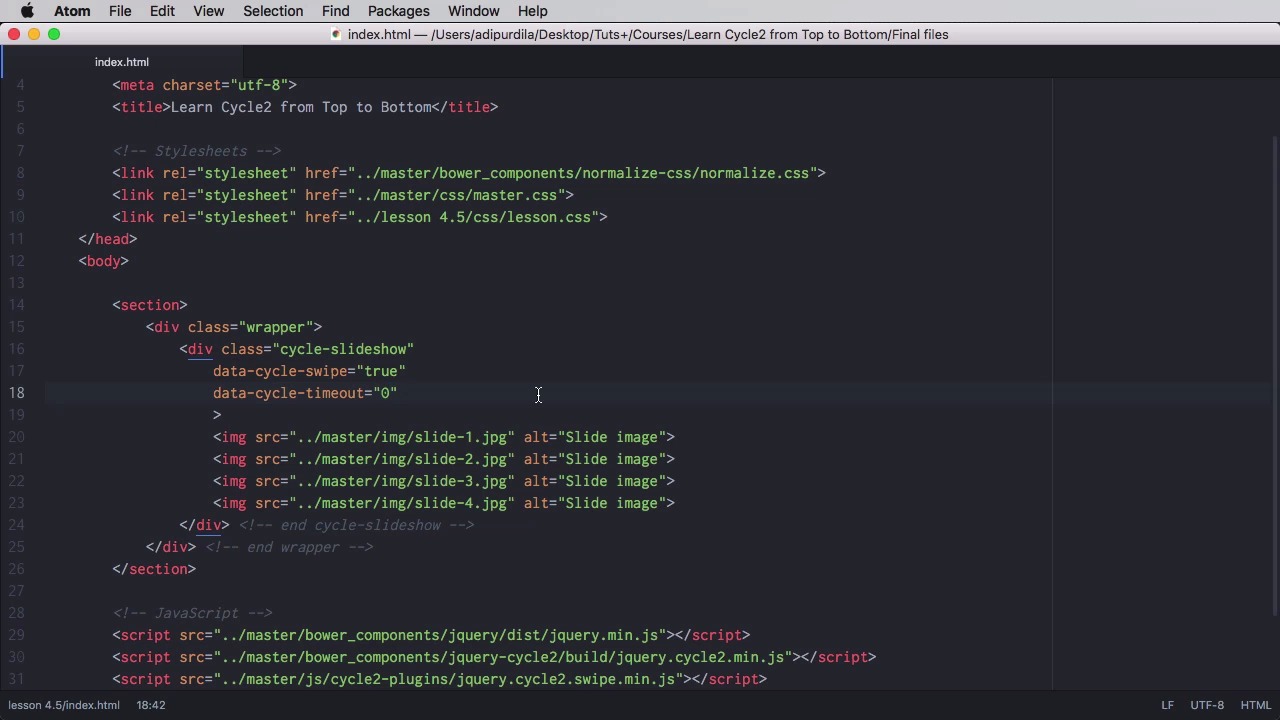
4.5 Swipe
A slideshow should work properly on all sorts of devices including the ones with touch screens. Now on touch screens, a very useful feature to have is the ability to swipe through the slides, and cycle makes this really easy with the help of the swipe. Plugin so let's find out how it works here we have a very simple slideshow. Now let's have a look at what happens to weight when we we switch to device mode, so I have a device in equation here right. This is how it would look like in landscape mode Now this cursor actually simulates touch events. So I can click and drag and it will simulate a swipe, but as you can see here, nothing is happening. Now if I go back to atom and I include the plugin files like this, and then I go right here and I say data-cycle, swioe="true", and I also set a time out to 0, so the slides don't change automatically, then you'll see that when I swipe the slides will change. So, that's how you can add swipe support. Now there is a second option here and that is the effect you can use my default. It's fate but probably the best one to use a scroll horizontally. So, you'd say data cycle, swipe affects equals scroll horizontally now. So, now you can easily do this. It's that easy. So again include the plugin file, set data-cycle-swipe to true and set the swipe effects to scroll horizontal, and that's it for the swipe plugin, and now let's have a look at the final plugin in our list. That is YouTube, that's coming up next.


